
📊 Full opportunity report: Small Business Document Scanning: From Paper To Digital on IdeaNavigator AI — validation score, market gap, and execution plan.
TL;DR
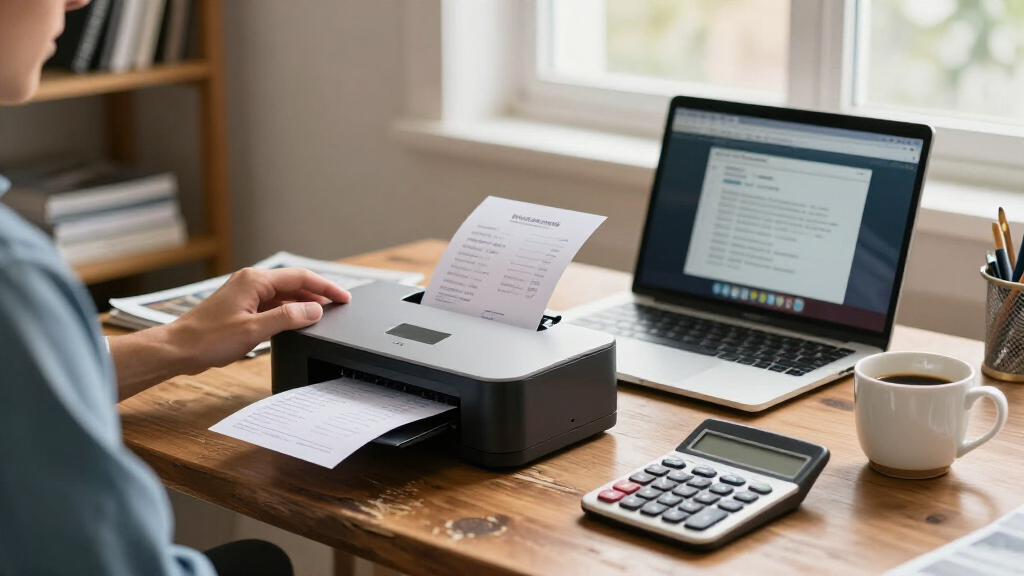
A proposed document-scanning app for small nonprofits, clinics and law offices would use OCR to classify photographed paperwork, suggest filenames and save searchable PDFs in a shared folder. The idea has not been shown to work in a pilot; its proposed test would measure classification accuracy and whether offices would pay for it.
IdeaNavigator AI has proposed a document-scanning workflow for small nonprofits, clinics and law offices that would use optical character recognition to classify paperwork, suggest filenames and save searchable PDFs. The concept is framed as a product to test, not a launched service: its accuracy, adoption and willingness to pay have not yet been established.
The suggested first users are office managers in small, paper-heavy organizations. These offices may hold backlogs of intake forms, invoices and records in filing cabinets. The proposal says generic scanning apps can leave staff with image files that are difficult to search and still need to be named and sorted by hand.
The proposed minimum viable product would let a user photograph a stack of documents with a phone. Software would run OCR, suggest a document category and filename, and save each page as a searchable PDF in a shared folder. An invoice filename might include its type, date and vendor. The plan does not specify a product name, launch date or existing customer base.
For validation, IdeaNavigator AI proposes a one-week pilot with five small offices, each scanning a real backlog of 200 documents. The test would track correct automatic classification and ask whether offices would pay per seat. A possible business model is a monthly per-seat subscription with a page-volume cap and charges for usage above that limit; no prices or pilot outcomes are given.
Less Manual Filing for Small Offices
If the workflow can reliably sort common records, it could reduce the time staff spend renaming, categorizing and locating documents. A searchable shared folder could also make retrieval easier than relying on paper cabinets or batches of unlabeled scan images. Those are potential benefits of the proposed design, not measured results.
The practical value depends on more than whether software can read text. Small offices would need it to handle varied layouts and poor-quality pages, suggest useful categories and filenames, and fit existing storage and access practices. A wrong classification or filename could make a record harder to find, so accuracy and human review are central to whether automation saves time.
The proposed pilot would offer an initial check on those issues, but five offices and a one-week test would be a limited sample. Even a strong result would not by itself establish performance across different document types, organization sizes or longer-term use. The willingness-to-pay question also matters: a technically useful tool may not justify a recurring subscription for every office.
high-speed document scanner for small office
As an affiliate, we earn on qualifying purchases.
As an affiliate, we earn on qualifying purchases.
A Focused Test for Paper Backlogs
The proposal is aimed at a specific gap between paper records and usable digital files. It describes offices with accumulated forms, invoices and records, and distinguishes a basic scan from a workflow that also identifies, names and files each document. That focus keeps the initial product test narrower than a general records-management system.
IdeaNavigator AI says on-device and API-based OCR, together with layout-aware models, are now inexpensive and accurate enough to make automatic naming, classification and field extraction worth testing without a dedicated IT team. This is the proposal’s rationale, not evidence that a particular system already meets a defined accuracy threshold. No benchmark, technology vendor or independent evaluation is supplied.
The suggested starting point is a real backlog rather than a curated set of sample pages. Scanning 200 documents per office could expose the product to everyday variation, while tracking correct classifications would provide a measurable result. However, the outline does not define what counts as correct, how difficult pages would be handled or whether staff would correct errors during the test.
OCR document scanning app for small business
As an affiliate, we earn on qualifying purchases.
As an affiliate, we earn on qualifying purchases.
Accuracy and Demand Remain Untested
No pilot results are reported, and the proposal does not identify a product currently available to customers. It remains unclear how often the system could correctly classify documents, extract key fields or generate filenames that staff would find useful. The suggested pilot names classification accuracy as a metric but gives no target threshold or evaluation method.
Other open questions include how the app would handle handwritten entries, multi-page files, duplicate scans, sensitive records and documents that do not fit its suggested categories. The outline also does not explain storage security, access controls, retention rules or integration with tools offices already use. These details would matter particularly for clinics and law offices, which may handle confidential information.
Pricing and demand are also unknown. A per-seat subscription with page limits and overage charges is a proposed model, not a confirmed offer. No price, buyer commitment or evidence of willingness to pay is provided, and a short pilot may not show whether offices would keep using the service after clearing an initial backlog.
searchable PDF scanner for legal office
As an affiliate, we earn on qualifying purchases.
As an affiliate, we earn on qualifying purchases.
Pilot Results Would Set the Next Step
The next stated step is to recruit five small offices for a one-week pilot and have each process 200 documents. The proposed evaluation would measure how often the system classifies files correctly and whether participants would pay per seat. No schedule, participating offices or results have been announced in the information available.
If a test is conducted, useful reporting would include the definition of a correct classification, the kinds of documents tested, the rate of staff corrections and the time required compared with manual filing. Details on security, handling of exceptions and actual subscription pricing would also help offices judge whether the product fits their needs. Until those results are available, the scanner remains a concept awaiting validation, rather than a proven way to reduce filing work.
Source: IdeaNavigator AI
document classification software for nonprofits
As an affiliate, we earn on qualifying purchases.
As an affiliate, we earn on qualifying purchases.
Key Questions
Has the document-scanning app launched?
No launch is reported. The proposal describes a product to test and provides no product name, release date or customer availability.
What would the proposed scanner do?
A user would photograph documents with a phone. The app would use OCR to suggest a category and filename, then save searchable PDFs in a shared folder.
How would the idea be tested?
The proposed test is a one-week pilot with five small offices, each scanning 200 documents. The plan would measure classification accuracy and ask about willingness to pay per seat.
Is there a confirmed price?
No. A monthly per-seat subscription with a page cap and overage pricing is suggested, but no price or paid customer commitment is reported.
Source: IdeaNavigator AI