OCR scanners are simple tools that turn your paper documents into digital files fast and easily. They recognize text, numbers, and symbols, making your files searchable, editable, and easy to store. With smarter technology, they get better at handling different types of documents, including handwritten notes. This helps you organize your work quickly and saves you time. Keep going to discover more about how these helpful devices can fit into your daily tasks.
Key Takeaways
- OCR scanners turn paper documents into editable digital files instantly.
- They recognize text, numbers, and symbols from scanned images accurately.
- The process involves capturing an image, then analyzing and converting it into digital text.
- Modern OCR scanners handle both printed and handwritten notes with high accuracy.
- They help organize, search, and access documents easily, saving time and effort.
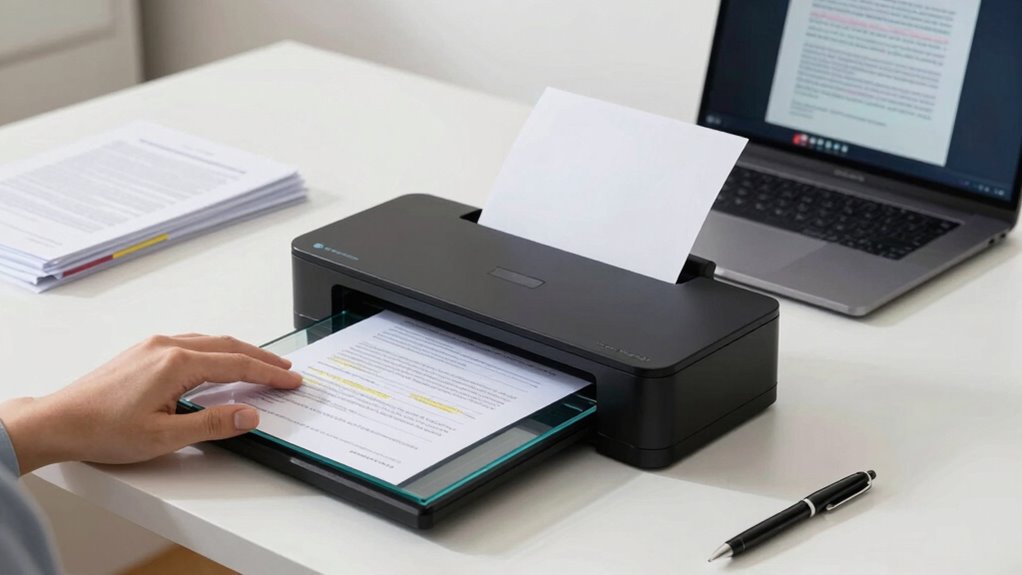
Have you ever wondered how paper documents transform into editable digital files in seconds? That’s where OCR scanners come into play. OCR, which stands for optical character recognition, is a clever technology that enables document digitization without the need for manual data entry. When you feed a paper document into an OCR scanner, it quickly analyzes the text, recognizing letters, numbers, and symbols, then converts them into digital formats that you can edit, search, and store easily. It’s like magic—except it’s all about smart technology working behind the scenes.
OCR scanners instantly convert paper documents into editable, searchable digital files with smart technology behind the scenes.
The process begins with capturing an image of your document. The scanner scans each page, creating a digital picture of the text. This image isn’t just a simple photo; it’s a detailed snapshot that the OCR software analyzes carefully. Using text recognition, the software identifies individual characters and words, comparing them to a database of letter shapes and patterns. As a result, it can distinguish between different fonts, sizes, and styles, even if the text is handwritten in some cases. This makes document digitization incredibly efficient, especially when dealing with large volumes of paperwork. Instead of tediously typing out each word, you get a searchable, editable document in a fraction of the time.
What’s really impressive about OCR scanners is their ability to handle various types of documents—from printed reports and invoices to handwritten notes. The accuracy of text recognition has improved significantly over the years, so you can trust that the digital document will closely match the original. This saves you from the frustration of manual corrections and ensures your digital files are reliable for future use. Plus, once digitized, these documents can be stored securely in cloud systems, making access and sharing more convenient than ever. Incorporating requirements traceability into your workflow can further enhance the reliability and compliance of your digitized documents, especially in regulated industries.
Using OCR scanners simplifies your workflow and reduces clutter. Instead of managing piles of paper, you can organize digital files with just a few clicks. Whether you’re digitizing old archives, processing invoices, or saving important notes, OCR makes the process quick and straightforward. And because the technology is continuously advancing, newer scanners are more accurate and faster, making document digitization an even more seamless part of your daily routine. So, next time you see a bulky stack of paper, remember that with OCR scanners, you can convert all those pages into tidy, searchable, and editable digital files in seconds.
Additionally, the digital transformation brought about by OCR technology is a key factor in improving overall efficiency and accessibility in modern workplaces. As the accuracy of text recognition continues to improve, the integration of OCR into various industries will likely become even more widespread, further streamlining operations and reducing manual labor. Moreover, advancements in text recognition algorithms are enabling OCR systems to better interpret handwritten notes, expanding their usefulness beyond printed materials.
As an affiliate, we earn on qualifying purchases.
Frequently Asked Questions
Can OCR Scanners Read Handwritten Notes?
Yes, OCR scanners can read handwritten notes, especially with advanced handwriting recognition features. These tools analyze your handwriting to convert it into digital text, making it easy for you to edit or share. You can also use OCR scanners for digital annotation, allowing you to highlight or add comments directly on your handwritten documents. Keep in mind, the accuracy varies depending on the clarity of your handwriting and the scanner’s capabilities.
How Long Does It Take to Scan a Document?
It usually takes just a few seconds to scan a document, depending on its size and quality. Scanner speed and document quality play key roles; high-resolution scans or larger files might take a bit longer. Generally, a standard document can be scanned quickly, so you won’t have to wait long. Keep in mind, faster scanners handle larger files more efficiently, making the process smoother and quicker for you.
Are OCR Scanners Suitable for Large Volumes?
Yes, OCR scanners are suitable for large volumes if you prioritize proper document organization and regular scanner maintenance. They can efficiently handle bulk scanning, but keeping your documents well-organized guarantees faster processing. Regular maintenance prevents jams and errors, helping you maintain high speed and accuracy. With the right setup, OCR scanners can streamline large-scale projects, saving you time and effort while maintaining quality throughout your scanning tasks.
Do OCR Scanners Work With All Languages?
If you’re scanning documents in multiple languages, OCR scanners generally support many, but not all. For example, a business in Dubai used an OCR scanner to convert Arabic and English documents efficiently. These scanners rely on advanced character recognition technology, which improves language support. However, some less common scripts may require specialized OCR software. Always check the scanner’s language capabilities to guarantee it recognizes your specific languages.
Is There a Way to Improve Scan Accuracy?
Yes, you can improve scan accuracy by using enhanced calibration and image preprocessing techniques. Enhanced calibration guarantees your OCR scanner is correctly aligned and tuned for your documents, reducing errors. Image preprocessing involves cleaning up images—removing noise, adjusting contrast, and straightening pages—making text clearer for the scanner. These steps help your OCR software recognize characters more accurately, resulting in better overall scan quality.
As an affiliate, we earn on qualifying purchases.
Conclusion
Now that you understand how OCR scanners work, you see they’re more than just tech—they’re your bridge between paper and digital worlds. Imagine turning pages into data with a simple scan, like magic made real. So, the next time you use one, remember: it’s not just about machines, but about accessing information, transforming your tasks with a whisper of technology’s hidden power. Embrace it, and watch your world become effortlessly connected.
As an affiliate, we earn on qualifying purchases.
digital document scanner with OCR
As an affiliate, we earn on qualifying purchases.
As an affiliate, we earn on qualifying purchases.