Daily-access storage, or hot storage, lets you retrieve data quickly for tasks like editing files or running applications, which means faster workflow and real-time access. Long-term storage, or cold storage, is designed for infrequent use, offering a more affordable option for archiving, backups, or compliance, but it takes longer to access data. Balancing these storage types helps you optimize performance and costs. Keep exploring to understand how to make the best choices for your needs.
Key Takeaways
- Daily-access storage (hot storage) provides fast, immediate data retrieval for frequent use, while long-term storage (cold storage) offers slower, cost-effective archiving.
- Hot storage is optimized for quick data transfer, whereas cold storage prioritizes reducing expenses over speed.
- Hot storage is suitable for real-time applications and active workflows, whereas cold storage is ideal for backups and historical data.
- Costs are higher for hot storage due to performance benefits; cold storage is cheaper but with longer retrieval times.
- Combining both storage types enables efficient data management, balancing speed needs with budget constraints.
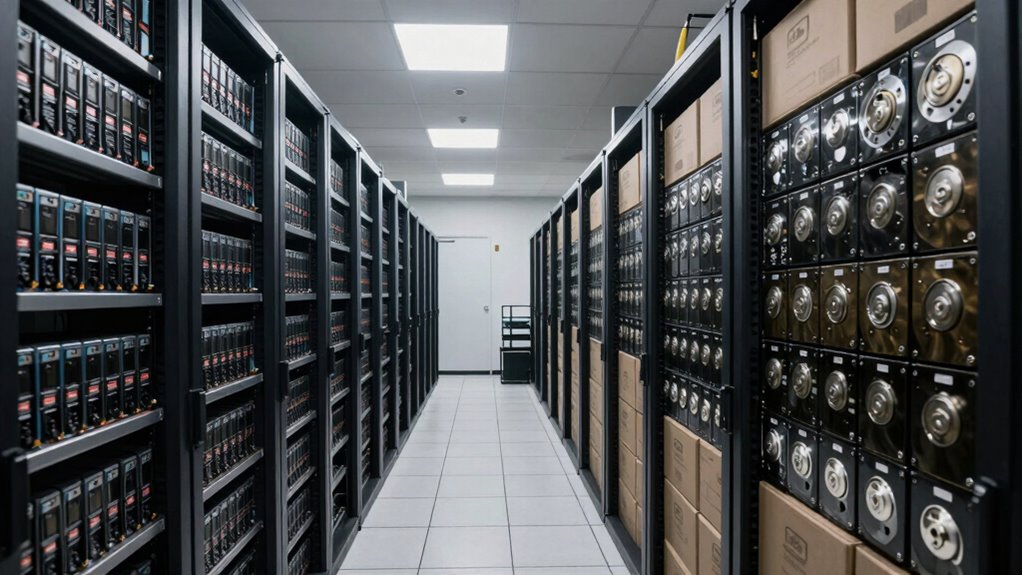
Have you ever wondered what differentiates various storage types and how they influence your data management? It all comes down to how you utilize the storage, how quickly you need access to your data, and how much you’re willing to spend. Daily-access storage, often called hot storage, is designed for quick, frequent retrieval. If you regularly work with your data—like editing files, running applications, or accessing customer information—it makes sense to choose a storage option that offers fast data transfer speeds. This type of storage guarantees that your data is readily available, minimizing delays and keeping your workflow smooth. Of course, this speed comes at a cost; daily-access storage tends to be less cost-efficient over the long run because it’s optimized for performance rather than savings. You pay a premium for the rapid data transfer speeds and instant availability.
In contrast, long-term storage, sometimes called cold storage, is all about conserving costs over time. You use this for archiving data you rarely need but must keep for compliance, historical records, or backup purposes. Since accessing this data isn’t a regular part of your daily routine, the storage cost efficiency becomes a key factor. These storage options are typically more affordable because they’re optimized for low costs rather than quick access. However, when you do need to retrieve data from long-term storage, it often takes longer due to lower data transfer speeds. This trade-off is acceptable because it aligns with the infrequent access pattern—you’re willing to wait a bit longer to save money. Additionally, understanding the different storage types helps optimize your overall data strategy and can impact your performance requirements. Recognizing the importance of storage standards can ensure your data remains protected and accessible within industry guidelines. Exploring the cost-effectiveness of storage can further refine your approach and align it with your budget constraints. Being aware of these distinctions can also help in choosing the right type of storage for sensitive or critical data, ensuring compliance with security protocols and data protection standards.
Choosing between daily-access storage and long-term storage depends on your specific needs. If your business relies on real-time data processing, then speed and immediate availability matter most. But if you’re looking to save money and only need to access certain data periodically, then long-term storage makes more sense. Both storage types serve different purposes and complement each other in a thorough data management strategy. Understanding this balance helps you optimize your costs without sacrificing performance when it’s most critical. So, whether you prioritize data transfer speeds or storage cost efficiency, knowing the distinctions ensures you make smarter storage decisions tailored to your needs.

Seagate Portable 5TB External Hard Drive HDD – USB 3.0 for PC, Mac, PS4, & Xbox – 1-Year Rescue Service (STGX5000400), Black
Easily store and access 5TB of content on the go with the Seagate portable drive, a USB external…
As an affiliate, we earn on qualifying purchases.
As an affiliate, we earn on qualifying purchases.
Frequently Asked Questions
How Do Storage Costs Vary Between Daily-Access and Long-Term Storage?
You’ll find that storage costs are higher for daily-access storage because it offers faster data retrieval, which supports quick access needs. Long-term storage costs less since it’s optimized for data redundancy and cost efficiency, but retrieval times are longer. To optimize expenses, you should use daily-access storage for active data and switch to long-term storage when data becomes infrequently accessed, balancing accessibility with cost optimization.
What Security Measures Are Common for Each Storage Type?
You’ll find encryption protocols are common security measures for both storage types, protecting data from unauthorized access. Physical security is also essential, especially for long-term storage, which often involves secure, access-controlled facilities. For daily-access storage, you might see security measures like biometric access or surveillance. Both types prioritize safeguarding data, but long-term storage emphasizes physical security more due to the extended storage period.
Can Data Be Easily Migrated Between Storage Types?
Imagine you need to switch from daily-access storage to long-term storage; you might face data migration challenges. Typically, migrating data isn’t always easy due to storage compatibility issues, which can cause delays or data loss. For example, incompatible formats or hardware differences can make the process complex. To avoid these issues, plan carefully, test compatibility beforehand, and choose flexible storage solutions that support seamless data migration between types.
Which Storage Type Offers Better Disaster Recovery Options?
Long-term storage generally offers better disaster recovery options because it often includes robust backup strategies and data redundancy measures. These features guarantee your data stays safe and recoverable even during catastrophic events. Daily-access storage may have some redundancy, but long-term storage is optimized for durability and extensive backup solutions, making it the smarter choice for disaster recovery planning. You can rely on it to protect your critical data over time.
How Does Access Speed Differ Between the Two Storage Options?
You might be surprised by how much access speed varies between these storage types. Daily-access storage offers quick data retrieval, with low access latency, making it ideal for active workloads. In contrast, long-term storage has higher access latency, meaning data retrieval takes longer. This difference keeps you on edge, knowing that your data’s availability depends on your choice — fast access or cost-effective, long-term preservation.

KEYSTONE Crypto Seed Storage, Crypto Steel Capsule Metal Wallet, Cold Storage Backup, 24 Words Bitcoin Key Phrase Storage, Steel Plate, Compatible with Ledger, Trezor, KeepKey (Keystone Tablet)
【 DURABLE AND INDESTRUCTIBLE 】: Made with grade 304 Steel, the Keystone Tablet is the long term solution…
As an affiliate, we earn on qualifying purchases.
As an affiliate, we earn on qualifying purchases.
Conclusion
Think of daily-access storage like your quick-access toolbox—ready when you need it, but not meant for heavy-duty work. Long-term storage, on the other hand, is your sturdy storage shed, built to hold your essentials safely over time. Just like you’d store fragile heirlooms carefully away, selecting the right storage guarantees your data stays accessible or preserved, no matter how long you need it. Picking the right type keeps your digital life organized and secure.
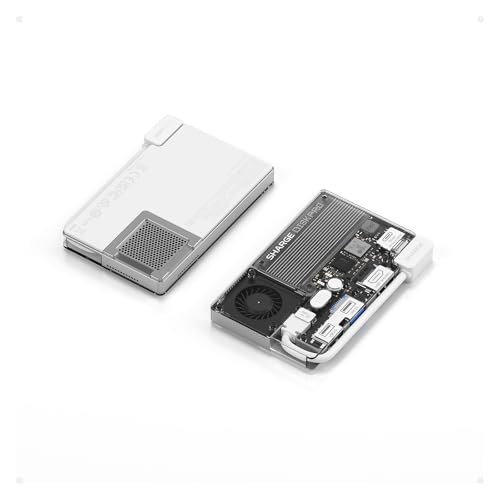
sharge Disk Pro 1TB Portable SSD with Active-Cooling Fan, 4-Port Hub with HDMI 2.1, 10 Gbps Built-in Cable, Magnetic External Solid State Drive for MacBook, PC and More – White
【One Device. Fewer Things to Carry】 Replaces your portable SSD, USB-C hub, HDMI adapter, and charger in one…
As an affiliate, we earn on qualifying purchases.
As an affiliate, we earn on qualifying purchases.

imation Products – imation – 3.5" Diskettes, IBM-Formatted, DS/HD, 10/Box – Sold As 1 Box – Cost effective. – Low torque reduces diskette drive wear. – Antistatic design. – Formatted. –
Cost effective.
As an affiliate, we earn on qualifying purchases.
As an affiliate, we earn on qualifying purchases.