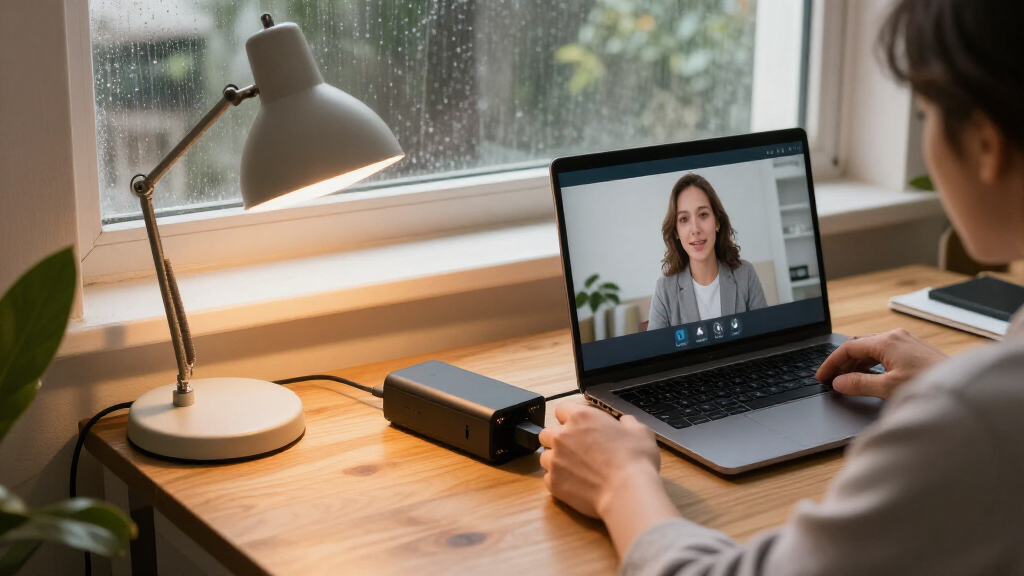

For most home offices, I’d start with the CyberPower CP1500PFCLCD: its PFC-compatible sine-wave output makes it a strong match for a computer and essential networking gear. The GOLDENMATE 1000VA/800W Lithium UPS stands out for a long-life lithium battery, while the CyberPower CP1500AVRLCD3 offers more conventional, high-capacity UPS protection. The main tradeoffs are backup runtime, device compatibility, battery lifespan, and how much capacity your desk actually needs. Smaller standby units suit a modem and one lightweight device, but they offer less headroom for a full workstation. Continue reading for the full breakdown of 15 options and how I’d match them to different home office setups.

Get smart everyday buys delivered free with Prime
- Fast, free delivery on millions of items
- Prime Video, Amazon Music and more included
- Member-only deals all year
Key Takeaways
- The CP1500PFCLCD leads for compatibility: its PFC sine-wave output makes it a compelling fit for modern computers that may be sensitive to stepped-wave power.
- LiFePO4 changes the ownership tradeoff: the GOLDENMATE lithium models prioritize longer battery service life, while traditional UPS options offer familiar formats and a wider range of capacities.
- 1500VA models suit fuller desks: the CyberPower and APC options at this capacity provide more room for a computer, monitor, and networking gear than compact standby units.
- Small UPS units are for targeted protection: the ST425, APC BE425M, and similar compact picks make more sense for a router or a limited setup than for a demanding workstation.
- A portable power station is not a direct UPS substitute: the BLUETTI Elite 10 Mini is useful for modest loads and portability, but buyers should check switchover behavior and output needs before relying on it for desktop backup.
| GOLDENMATE 1000VA/600W LiFePO4 UPS Battery Backup and Surge Protector |  | Best for Long-Term Battery Life | Capacity: 1000VA / 600W | Battery type: Lithium iron phosphate (LiFePO4) | Battery life: Over 10 years | VIEW LATEST PRICE | See Our Full Breakdown |
| GOLDENMATE 1000VA/800W Lithium UPS Battery Backup and Surge Protector |  | Best LiFePO4 Pick for Higher Loads | Capacity: 1000VA / 800W | Battery type: Lithium iron phosphate (LiFePO4) | Charge cycles: More than 5,000 | VIEW LATEST PRICE | See Our Full Breakdown |
| CyberPower CP1500AVRLCD3 1500VA/900W LCD UPS Battery Backup |  | Best for Outlet and USB Convenience | Capacity: 1500VA / 900W | Output waveform: Simulated sine wave | Outlets: 12 NEMA 5-15R; 6 battery backup and surge protected, 6 surge protected | VIEW LATEST PRICE | See Our Full Breakdown |
| CyberPower CP1500PFCLCD PFC Sinewave UPS Battery Backup and Surge Protector |  | Best for Active PFC Workstations | Capacity: 1500VA / 1000W | Topology: Line interactive | Output: PFC sine wave | VIEW LATEST PRICE | See Our Full Breakdown |
| CyberPower ST900U Standby UPS Battery Backup and Surge Protector |  | Best Lightweight Office Backup | Capacity: 900VA / 500W | Output waveform: Simulated sine wave | Outlets: 12 NEMA 5-15R; 6 battery backup and surge protected, 6 surge protected | VIEW LATEST PRICE | See Our Full Breakdown |
| APC Back-UPS Pro 1000VA/600W Battery Backup with AVR, LCD, and 8 Outlets |  | Best for Clear Status Monitoring | Capacity: 1000VA / 600W | Outlets: 8 total: 4 battery backup and 4 surge-only | Voltage: 120V input and output | VIEW LATEST PRICE | See Our Full Breakdown |
| BLUETTI Elite 10 Mini Portable Power Station, 128Wh, 200W |  | Best Compact Backup for Small Devices | Capacity: 128Wh | AC output: 200W | USB-C output: 100W | VIEW LATEST PRICE | See Our Full Breakdown |
| CyberPower ST425 Standby UPS Battery Backup and Surge Protector |  | Best Simple, Low-Load UPS | Capacity: 425VA / 260W | Outlets: 8 total: 4 battery backup and surge protected, 4 surge protected | Runtime: 1 minute | VIEW LATEST PRICE | See Our Full Breakdown |
| CyberPower EC850LCD Ecologic UPS Battery Backup and Surge Protector |  | Best for Peripheral Management | Capacity: 850VA / 510W | Outlets: 12 total: 6 battery backup and 6 surge-protected | Input voltage: 120V | VIEW LATEST PRICE | See Our Full Breakdown |
| APC BX1500M 1500VA UPS Battery Backup and Surge Protector |  | Best for Higher-Wattage Home Offices | Capacity: 1500VA / 900W | Outlets: 10 total: 5 battery backup and surge-protected, 5 surge-only | Voltage: 120V | VIEW LATEST PRICE | See Our Full Breakdown |
| CyberPower CP1500GAVR Line-Interactive UPS Battery Backup, 1500VA/900W |  | Best for a Full Home Office Workstation | Capacity: 1500VA/900W | Output waveform: Simulated sine wave | Outlets: 10 NEMA 5-15R: 5 battery backup, 5 surge-only | VIEW LATEST PRICE | See Our Full Breakdown |
| APC BE425M UPS Battery Backup and Surge Protector |  | Best for a Router and Modem | Capacity: 425VA/255W | Outlets: 6 total: 4 battery backup and surge protection, 2 surge-only | Runtime: Up to 15 minutes at 100W | VIEW LATEST PRICE | See Our Full Breakdown |
| APC Back-UPS BE600M1 600VA Battery Backup and Surge Protector |  | Best Compact Pick for a Basic Desk | Capacity: 600VA/330W | Outlets: 7 total: 5 battery backup and surge protection, 2 surge-only | USB port: 1 USB Type-A, 1.5A | VIEW LATEST PRICE | See Our Full Breakdown |
| CyberPower ST625U Standby UPS Battery Backup and Surge Protector |  | Best for USB Charging and Outlet Count | Capacity: 625VA/360W | Output waveform: Simulated sine wave | Outlets: 8 NEMA 5-15R: 4 battery backup and surge protected, 4 surge protected | VIEW LATEST PRICE | See Our Full Breakdown |
| GOLDENMATE 1000VA/800W Lithium UPS Battery Backup and Surge Protector |  | Best Long-Life Battery Pick | Capacity: 1000VA/800W | Battery type: Lithium iron phosphate (LiFePO4) | Battery life and cycles: Rated for over 10 years and more than 5,000 charge cycles | VIEW LATEST PRICE | See Our Full Breakdown |
| home office backup power supplie | Capacity | Outlets |
|---|---|---|
| GOLDENMATE 1000VA/600W LiFePO4 | 1000VA / 600W | 8 NEMA 5-15P |
| GOLDENMATE 1000VA/800W Lithium | 1000VA / 800W | 8 NEMA 5-15P |
| CyberPower CP1500AVRLCD3 1500V | 1500VA / 900W | 12 NEMA 5-15R; 6 battery backup and surge protected, 6 surge protected |
| CyberPower CP1500PFCLCD PFC Si | 1500VA / 1000W | 12 NEMA 5-15R; 6 battery backup and surge protected, 6 surge protected |
| CyberPower ST900U Standby UPS | 900VA / 500W | 12 NEMA 5-15R; 6 battery backup and surge protected, 6 surge protected |
| APC Back-UPS Pro 1000VA/600W B | 1000VA / 600W | 8 total: 4 battery backup and 4 surge-only |
| BLUETTI Elite 10 Mini Portable | 128Wh | — |
| CyberPower ST425 Standby UPS B | 425VA / 260W | 8 total: 4 battery backup and surge protected, 4 surge protected |
| CyberPower EC850LCD Ecologic U | 850VA / 510W | 12 total: 6 battery backup and 6 surge-protected |
| APC BX1500M 1500VA UPS Battery | 1500VA / 900W | 10 total: 5 battery backup and surge-protected, 5 surge-only |
| CyberPower CP1500GAVR Line-Int | 1500VA/900W | 10 NEMA 5-15R: 5 battery backup, 5 surge-only |
| APC BE425M UPS Battery Backup | 425VA/255W | 6 total: 4 battery backup and surge protection, 2 surge-only |
| APC Back-UPS BE600M1 600VA Bat | 600VA/330W | 7 total: 5 battery backup and surge protection, 2 surge-only |
| CyberPower ST625U Standby UPS | 625VA/360W | 8 NEMA 5-15R: 4 battery backup and surge protected, 4 surge protected |
| GOLDENMATE 1000VA/800W Lithium | 1000VA/800W | 8 |
More Details on Our Top Picks
GOLDENMATE 1000VA/600W LiFePO4 UPS Battery Backup and Surge Protector
I’d choose this GOLDENMATE when a home office needs dependable backup for a desktop, monitor, and network gear, with less emphasis on supporting a high-wattage setup. Its 600W pure sine wave output suits equipment that benefits from a smooth waveform, while the LiFePO4 battery rated for 5,000+ cycles is the standout difference from the CyberPower CP1500PFCLCD, which offers greater output but uses a different battery design. Eight protected outlets and an LCD make it easier to connect and monitor a small workstation. The tradeoff is its 600W ceiling: buyers with power-hungry systems should look at the 800W GOLDENMATE or 1000W CyberPower instead. The fan may also be audible during heavy battery use, and the stated 30-minute runtime depends on the connected load.
Pros:- LiFePO4 battery rated for more than 5,000 charge cycles
- Pure sine wave output for compatible computers and network equipment
- Eight outlets with surge protection
- LCD status panel and a buzzer that can be muted
Cons:- 600W maximum output is lower than the 800W GOLDENMATE and 1000W CyberPower CP1500PFCLCD
- Cooling fan may run during heavy battery use
- Battery charge time is listed as 10 hours
Best for: Home-office users with a moderate-load desktop, monitor, and router who prioritize a long-cycle LiFePO4 battery and pure sine wave output.
Not ideal for: Users with high-draw workstations or several demanding devices that could exceed 600W, and anyone who needs a UPS designed for input voltages outside 90–140V AC.
- Capacity:1000VA / 600W
- Battery type:Lithium iron phosphate (LiFePO4)
- Battery life:Over 10 years
- Charge cycles:5,000+
- Outlets:8 NEMA 5-15P
- Output waveform:Pure sine wave
- Input / output voltage:90–140V AC input / 120V output
- Listed runtime:30 minutes
Our verdict“Choose this model for a moderate-load office where long-cycle LiFePO4 backup matters more than maximum wattage.”
GOLDENMATE 1000VA/800W Lithium UPS Battery Backup and Surge Protector
Among the two GOLDENMATE options here, this is the stronger fit for a home office that needs more headroom: it raises maximum output to 800W while keeping the LiFePO4 battery rated for 5,000+ cycles. That extra capacity can accommodate a more demanding desktop setup than the 600W GOLDENMATE, though it still falls short of the CyberPower CP1500PFCLCD’s 1000W ceiling. Eight battery-backup and surge-protected outlets, an LCD, and a muteable buzzer make it practical for a central workstation. The supplied runtime figure is 46 minutes, but actual backup time varies with load. I’d factor in the 10-hour charge time and the fan, which may activate under heavy battery use; it is a tower UPS for plugged-in office equipment, not a portable power source.
Pros:- 800W maximum output gives more headroom than the 600W GOLDENMATE
- LiFePO4 battery rated for more than 5,000 charge cycles
- Eight outlets provide battery backup and surge protection
- LCD monitoring and a muteable buzzer
Cons:- Still offers less maximum output than the 1000W CyberPower CP1500PFCLCD
- Battery charge time is listed as 10 hours
- Cooling fan may activate during heavy battery use
Best for: Home-office owners running a higher-draw desktop and network equipment who want more wattage than the 600W GOLDENMATE and value a long-cycle LiFePO4 battery.
Not ideal for: Users whose equipment exceeds 800W or needs more output headroom, and buyers seeking a UPS with a shorter listed recharge time.
- Capacity:1000VA / 800W
- Battery type:Lithium iron phosphate (LiFePO4)
- Charge cycles:More than 5,000
- Outlets:8 NEMA 5-15P
- Input / output voltage:90–140V AC input / 120V output
- Listed runtime:46 minutes
- Battery charge time:10 hours
- Form factor:Tower
Our verdict“Pick this GOLDENMATE if your office load needs 800W capacity and you prefer LiFePO4 longevity over the CyberPower’s higher output ceiling.”
CyberPower CP1500AVRLCD3 1500VA/900W LCD UPS Battery Backup
The CP1500AVRLCD3 is appealing when a home office has many accessories to plug in: it provides 12 outlets, though only six stay powered during an outage, plus USB-A and USB-C charging ports. Its automatic voltage regulation addresses minor fluctuations without relying on battery backup, a useful distinction from the standby CyberPower ST900U. At 900W, it supports more load than either GOLDENMATE model at 600W or 800W, but its simulated sine wave output is less suitable for equipment that calls for pure or PFC sine wave power; the CP1500PFCLCD is the better match for that need. The supplied runtime is just three minutes, so I’d treat it as a short window to save work and shut down, not extended outage coverage.
Pros:- 12 outlets, including six with battery backup and surge protection
- AVR corrects minor power fluctuations without switching to battery
- USB-A and USB-C charging ports
- Color LCD displays battery and power conditions
Cons:- Simulated sine wave output is less suitable for equipment requiring pure sine wave power
- Listed runtime is three minutes, limiting outage coverage
- Only six outlets provide battery backup
Best for: Home-office users who need many connections, USB device charging, and AVR for a mixed computer and networking setup with a short shutdown window.
Not ideal for: Users who need pure sine wave output or extended backup time, or who expect all 12 outlets to remain powered during an outage.
- Capacity:1500VA / 900W
- Output waveform:Simulated sine wave
- Outlets:12 NEMA 5-15R; 6 battery backup and surge protected, 6 surge protected
- USB ports:1 Type-A and 1 Type-C
- Voltage:120V
- Listed runtime:3 minutes
- Battery charge time:8 hours
- Dimensions / weight:13.78 × 3.94 × 10.2 inches / 23.8 pounds
Our verdict“Choose this model for outlet flexibility and AVR when a brief shutdown window matters more than pure sine wave output or long runtime.”
CyberPower CP1500PFCLCD PFC Sinewave UPS Battery Backup and Surge Protector
For a home office built around a computer with an active PFC power supply, the CP1500PFCLCD is the most specialized fit in this group. Its PFC sine wave output supports that equipment more directly than the simulated sine wave CyberPower CP1500AVRLCD3 or ST900U. The 1000W capacity also exceeds both GOLDENMATE models, making this the strongest choice here for a higher-load workstation. AVR can correct minor voltage changes without drawing on the battery, while the tilting LCD makes status information easier to read. The tradeoff is that only six of its 12 outlets provide battery backup, and its listed details call for two 12V batteries. Compared with the CP1500AVRLCD3, it offers a better waveform match but not more outlets with backup.
Pros:- PFC sine wave output suits equipment with active PFC power supplies
- 1000W capacity is the highest among these five products
- AVR corrects minor power fluctuations without using the battery
- Tilting color LCD and Type-A and Type-C USB ports
Cons:- Only six of the 12 outlets provide battery backup
- At 24.9 pounds, it is heavier than the listed 23.8-pound CP1500AVRLCD3
- Requires two 12V batteries
Best for: Home-office users with an active PFC desktop or workstation, network gear, and a load that benefits from up to 1000W of sine wave backup.
Not ideal for: Buyers who need battery backup at every outlet, or users with limited desk-side space for a 24.9-pound mini-tower.
- Capacity:1500VA / 1000W
- Topology:Line interactive
- Output:PFC sine wave
- Outlets:12 NEMA 5-15R; 6 battery backup and surge protected, 6 surge protected
- USB ports:1 Type-A and 1 Type-C
- Voltage regulation:Automatic Voltage Regulation (AVR)
- Dimensions / weight:14 × 3.9 × 11 inches / 24.9 pounds
- Warranty:3 years, including battery
Our verdict“Choose the CP1500PFCLCD for an active PFC workstation that needs sine wave output and 1000W capacity, but not backup on every outlet.”
CyberPower ST900U Standby UPS Battery Backup and Surge Protector
The ST900U offers a simpler, lighter approach than the mini-tower CyberPower CP1500AVRLCD3 and CP1500PFCLCD. At 7.7 pounds, it is easier to place beside a compact desk, and its 12 outlets include four spaced for larger plugs. Six outlets provide battery backup; the other six offer surge protection only, a limitation shared with the larger CyberPower units. Two USB charging ports add convenience, but their 2.1A output is shared. Its 500W ceiling and simulated sine wave output make it better suited to a modest office setup than a demanding workstation. The listed 15-minute runtime offers more stated time than the CP1500AVRLCD3’s three minutes, though runtime varies with load. I’d skip it for active PFC equipment that calls for sine wave output.
Pros:- Light 7.7-pound design is easier to place than the larger CyberPower mini-towers
- 12 outlets include four spaced for larger plugs
- Two USB charging ports provide 2.1A shared output
- Three-year warranty includes the battery
Cons:- 500W capacity is well below the CP1500PFCLCD’s 1000W
- Simulated sine wave output may not suit equipment requiring sine wave power
- Only six outlets provide battery backup
Best for: Users with a compact desk and a modest-load router, monitor, and computer who want lightweight backup, spaced outlets, and basic USB charging.
Not ideal for: Owners of high-draw workstations or equipment requiring pure sine wave output, and anyone needing backup power at all 12 outlets.
- Capacity:900VA / 500W
- Output waveform:Simulated sine wave
- Outlets:12 NEMA 5-15R; 6 battery backup and surge protected, 6 surge protected
- USB charging:2 ports, 2.1A shared output
- Input / output voltage:120V / 120V AC
- Listed runtime:15 minutes
- Dimensions / weight:7 × 12.2 × 3.1 inches / 7.7 pounds
- Warranty:3 years, including battery
Our verdict“Pick the ST900U for a lighter, lower-load home office where easy placement matters more than high wattage or sine wave output.”
APC Back-UPS Pro 1000VA/600W Battery Backup with AVR, LCD, and 8 Outlets
I’d pick this APC when I want a conventional desktop UPS with enough capacity for a work computer and networking gear, plus a readable view of what is happening during an outage. Its LCD reports load, runtime, battery charge, and power conditions, while AVR can correct some voltage fluctuations without drawing on the battery. The stated runtime of over 42 minutes at a 100W load is useful for a modest setup, but it should not be read as a promise for a more demanding workstation.
Compared with the APC BX1500M, this model has less output capacity but still offers a replaceable battery and four battery-backed outlets. Its lead-acid battery needs eventual replacement, sold separately, and this unit is for bridging outages and shutting down safely—not extended power independence.
Pros:- LCD displays load, battery charge, runtime, and power conditions
- AVR helps manage voltage fluctuations without using battery power
- Four battery-backed outlets among eight total
- User-replaceable battery supports service beyond the original battery’s life
Cons:- Replacement battery is sold separately
- 600W output is a limit for power-hungry desktop equipment
- Lead-acid backup is intended for short outages, not sustained operation
Best for: Home-office workers with a modest computer and router setup who want an LCD with detailed power and runtime information.
Not ideal for: Users with a high-draw workstation or those seeking long outage coverage; its 600W capacity and short-term UPS purpose limit those setups.
- Capacity:1000VA / 600W
- Outlets:8 total: 4 battery backup and 4 surge-only
- Voltage:120V input and output
- Voltage regulation:AVR
- Runtime:Over 42 minutes at a 100W load
- Battery:Lead acid; user-replaceable APCRBC158, sold separately
- Display:LCD
- Form factor and warranty:Tower; 3 years
Our verdict“Choose this APC if detailed status information and AVR matter more than the higher capacity of the BX1500M.”
BLUETTI Elite 10 Mini Portable Power Station, 128Wh, 200W
The BLUETTI Elite 10 Mini takes a different approach from the desktop UPS models here: its 128Wh capacity and 3.97-pound weight make it a portable backup for a router, phone, or other small electronics, rather than a full workstation. A built-in 10ms UPS function can help keep a compatible low-power device running through a brief interruption, and 100W USB-C output is handy for charging a laptop that supports USB-C power.
Unlike the outlet-rich CyberPower EC850LCD, this unit has a much smaller energy reserve and should not be expected to carry several office devices for long. In return, it can recharge from AC, solar, or a car, and its LiFePO4 battery is rated for 3000+ cycles. Its 200W AC limit is the key constraint: check device draw before relying on it as a UPS.
Pros:- Compact 3.97-pound design with an ergonomic handle
- 10ms UPS function for suitable small devices
- AC, solar, and car charging options
- 100W USB-C output and LiFePO4 battery rated for 3000+ cycles
Cons:- 128Wh capacity limits backup duration and the number of devices it can support
- 200W AC output is too low for many desktop computers and demanding peripherals
- Airline carry-on use may require prior approval
Best for: Remote workers who need portable backup for a router, phone, or low-power USB-C laptop and value multiple recharge options.
Not ideal for: People who need to keep a desktop workstation or several office devices running; its 128Wh capacity and 200W AC limit are restrictive.
- Capacity:128Wh
- AC output:200W
- USB-C output:100W
- UPS transfer time:10ms
- Battery:LiFePO4; rated for 3000+ cycles
- Recharge methods:AC, solar, and car
- AC charging:150W; full charge in 70 minutes
- Weight and dimensions:3.97 lbs; 7.87 × 5.75 × 4.33 in
Our verdict“Pick the Elite 10 Mini for portable, low-power backup rather than as a substitute for a full-size office UPS.”
CyberPower ST425 Standby UPS Battery Backup and Surge Protector
I’d reserve the CyberPower ST425 for a simple desk setup where the goal is basic protection and enough time to react to an outage, not extended runtime. It has eight outlets, with four battery-backed, and LED indicators keep status information uncomplicated. The listed runtime is just one minute, so this is a narrow fit: it may suit a low-draw router or a computer that needs a brief window for shutdown, but it offers little margin for a larger office setup.
Compared with the APC Back-UPS Pro 1000VA/600W, the ST425 gives up both capacity and an LCD in exchange for a compact, simpler design. Its simulated sine-wave output is another reason to check equipment compatibility, especially for computers with specific power requirements. The three-year warranty includes the battery, but the modest 260W output sets a firm ceiling.
Pros:- Eight outlets, including four with battery backup and surge protection
- Compact design with clear LED status indicators
- Three-year warranty includes the battery
- Right-angle input plug can suit some tight outlet locations
Cons:- Listed runtime is only one minute
- 260W capacity limits the equipment it can support
- Simulated sine-wave output may not suit every computer or power supply
Best for: A buyer with a low-power router or basic home-office setup who wants straightforward backup and surge protection in a compact unit.
Not ideal for: Anyone who needs more than a brief shutdown window, has a higher-draw computer, or requires a pure sine-wave output.
- Capacity:425VA / 260W
- Outlets:8 total: 4 battery backup and surge protected, 4 surge protected
- Runtime:1 minute
- Output waveform:Simulated sine wave
- Input voltage:120V
- Battery:Lead acid
- Power cord:5 ft; NEMA 5-15P right-angle plug with 45-degree offset
- Warranty:3 years, including the battery
Our verdict“Choose the ST425 for basic, low-load protection, but step up to a higher-capacity model if shutdown time matters.”
CyberPower EC850LCD Ecologic UPS Battery Backup and Surge Protector
The EC850LCD is the outlet-heavy choice for a desk with a computer, networking gear, and several peripherals. Its 12 outlets, including six battery-backed, reduce the need to choose which devices get outage protection, while the LCD provides more information than the ST425’s basic LED indicators. ECO Mode adds a distinct benefit: compatible peripheral outlets can power down when a computer is off or asleep, helping avoid leaving accessories on unnecessarily.
That convenience does not mean more outage endurance. The listed runtime is two minutes, and the CyberPower ST425 is also limited to brief backup, though this model offers more capacity and outlet flexibility. The stated output voltage is 230V AC despite the 120V input specification, so I would verify output compatibility for the intended setup before buying. Its simulated sine-wave output may also restrict compatibility.
Pros:- Twelve outlets, including six with battery backup
- ECO Mode can shut down compatible peripherals when the computer is off or asleep
- LCD displays battery and power information
- Three-year warranty includes the battery
Cons:- Listed runtime is only two minutes
- Simulated sine-wave output may not suit all equipment
- The listed 230V AC output warrants a compatibility check for a 120V office setup
Best for: Home-office users with many peripherals who want more battery-backed outlets, an LCD, and automatic power-down for compatible accessories.
Not ideal for: Buyers who need long runtime, pure sine-wave output, or have not confirmed that the listed output voltage suits their equipment.
- Capacity:850VA / 510W
- Outlets:12 total: 6 battery backup and 6 surge-protected
- Input voltage:120V
- Output voltage:230V AC
- Runtime:2 minutes
- Battery:Sealed lead acid
- Power cord:5 ft
- Warranty:3 years, including the battery
Our verdict“Choose the EC850LCD for outlet capacity and peripheral control, not for lengthy backup during an outage.”
APC BX1500M 1500VA UPS Battery Backup and Surge Protector
For a home office with a more demanding computer and several essential accessories, the APC BX1500M offers the strongest stated capacity in this five-product group: 1500VA / 900W. AVR can correct some voltage fluctuations without using battery charge, and the LCD shows load, battery condition, and input power status. Five battery-backed outlets give a user room to connect key equipment, while five more provide surge-only protection.
Compared with the APC Back-UPS Pro 1000VA/600W, the BX1500M provides more wattage and two additional total outlets, but its battery-backed outlet count is not higher. Runtime depends on the connected load, so its larger rating does not translate into a fixed outage duration. The battery is replaceable but sold separately, and the stepped-approximation sine wave and stated limits rule it out for appliances or whole-home backup.
Pros:- 900W capacity suits more demanding office setups than the 600W APC Back-UPS Pro
- AVR corrects voltage fluctuations without using battery capacity
- LCD reports load, battery condition, and input power status
- Replaceable battery and data-line protection support practical long-term use
Cons:- Replacement battery is sold separately
- Runtime varies with the connected load
- Stepped-approximation sine wave and stated limits make it unsuitable for some equipment and whole-home backup
Best for: Home-office users with a higher-wattage desktop, monitor, and networking equipment who want AVR and a larger capacity UPS.
Not ideal for: Buyers seeking long-duration or whole-home backup, or those who need a pure sine-wave output or do not want to buy a replacement battery separately.
- Capacity:1500VA / 900W
- Outlets:10 total: 5 battery backup and surge-protected, 5 surge-only
- Voltage:120V
- Surge protection:789 joules
- Voltage regulation:AVR
- Display:LCD status display
- Battery:User-replaceable APC APCRBC124, sold separately
- Output waveform:Stepped approximation to a sine wave
Our verdict“Choose the BX1500M when your office needs more output capacity than the 600W APC model, while accepting load-dependent runtime.”
CyberPower CP1500GAVR Line-Interactive UPS Battery Backup, 1500VA/900W
The 1500VA/900W capacity gives this CyberPower more room for a desktop computer, monitor, and networking gear than the smaller APC BE600M1 or BE425M. Its automatic voltage regulation corrects minor power changes without using up battery charge, while the LCD shows load, battery status, and input voltage—useful when deciding which devices to keep connected. USB monitoring can also trigger a safe computer shutdown during a longer outage. The main limitation is outlet allocation: only five of its 10 outlets have battery backup, so I would reserve them for essential equipment and use the other five for surge protection. Its simulated sine wave output is another reason to check device compatibility; buyers seeking pure sine wave output should compare it with the CyberPower CP1500PFCLCD instead.
Pros:- 1500VA/900W capacity suits a more demanding workstation than the compact APC BE600M1.
- AVR handles minor voltage fluctuations without switching to battery.
- LCD reports battery capacity, load, input voltage, and fault conditions.
- USB connectivity supports monitoring and safe computer shutdown.
Cons:- Only five of the 10 outlets provide battery backup.
- Simulated sine wave output may not suit equipment that requires pure sine wave.
- At 21.5 pounds, it is less convenient to move than compact UPS options.
Best for: Home-office users running a desktop, monitor, and router who want AVR, an LCD, and enough capacity for a planned shutdown.
Not ideal for: People who need battery backup on every connected device or whose equipment requires pure sine wave output.
- Capacity:1500VA/900W
- Output waveform:Simulated sine wave
- Outlets:10 NEMA 5-15R: 5 battery backup, 5 surge-only
- Voltage:120V input and output
- Connectivity:USB
- Form factor:Mini-tower
- Dimensions and weight:13.7 x 3.94 x 9.8 inches; 21.5 pounds
- Warranty:3 years, including the battery
Our verdict“Choose this for a multi-device workstation needing higher capacity and AVR, but look elsewhere if you require pure sine wave output or backup on all outlets.”
APC BE425M UPS Battery Backup and Surge Protector
The APC BE425M is a focused choice for keeping a modem and router online, not for carrying a full computer workstation through an outage. Its 425VA/255W capacity is well below the APC BE600M1 and the CyberPower CP1500GAVR, but that smaller scale makes sense for low-power networking equipment. APC lists up to 15 minutes at a 100W load, giving a connected router and modem time to ride through a brief interruption or maintain connectivity while a computer shuts down. Four outlets offer battery backup; the other two are surge-only. Its wall-mountable design can help keep a small network setup tidy, though the eight-hour recharge time and limited capacity make it a poor fit for a desk PC or several power-hungry devices.
Pros:- Compact, wall-mountable design suits a small networking setup.
- Four battery-backed outlets can cover a modem and router alongside other low-power gear.
- Up to 15 minutes of runtime is specified at a 100W load.
- Status indicators and audible alarms communicate unit condition.
Cons:- 425VA/255W capacity is limited for a computer workstation.
- Only four of the six outlets provide battery backup.
- Battery recharge time is listed as eight hours.
Best for: Remote workers who mainly need short-term backup for a modem, router, and a couple of low-power devices.
Not ideal for: Buyers backing up a desktop computer, multiple monitors, or other equipment with a substantial power draw.
- Capacity:425VA/255W
- Outlets:6 total: 4 battery backup and surge protection, 2 surge-only
- Runtime:Up to 15 minutes at 100W
- Input and output:120V
- Battery charge time:8 hours
- Dimensions:4.13 x 9.98 x 5.52 inches
- Weight:5.7 pounds
- Warranty:3 years
Our verdict“Pick the BE425M for basic modem-and-router continuity, not as the main backup for a computer-heavy home office.”
APC Back-UPS BE600M1 600VA Battery Backup and Surge Protector
For a desk with a modest computer setup, the APC BE600M1 strikes a more useful balance than the smaller BE425M: it offers 600VA/330W capacity and five battery-backed outlets, rather than four. APC specifies 23 minutes at a 100W load, which can give low-power equipment time to stay on through a short interruption or shut down cleanly; actual runtime changes with the connected load. A USB-A port adds a convenient way to charge a phone, though it is not a substitute for a battery-backed computer connection. Compared with the 1500VA CyberPower CP1500GAVR, this unit is easier to fit into a compact office but has much less power capacity. Its user-replaceable battery helps extend its service life, though the replacement is sold separately.
Pros:- Five battery-backed outlets accommodate more essential devices than the APC BE425M.
- 23 minutes of runtime is specified at a 100W load.
- User-replaceable battery can extend the UPS’s service life.
- USB-A port offers a separate charging option for a phone.
Cons:- 330W output capacity limits use with higher-power workstations.
- Replacement battery is sold separately.
- Runtime varies with the load connected.
Best for: People with a compact home-office setup who need backup for a low-power computer, router, and a few peripherals.
Not ideal for: Users with a high-draw desktop or several monitors who need more than 330W of capacity.
- Capacity:600VA/330W
- Outlets:7 total: 5 battery backup and surge protection, 2 surge-only
- USB port:1 USB Type-A, 1.5A
- Runtime:23 minutes at 100W load
- Battery:User-replaceable; APCRBC154 replacement sold separately
- Battery charge time:10 hours
- Input and output:120V
- Dimensions and weight:10.79 x 4.13 x 5.47 inches; 7.5 pounds
Our verdict“Choose the BE600M1 for a compact, low-power desk setup that benefits from a replaceable battery, but move up to a higher-capacity UPS for a demanding workstation.”
CyberPower ST625U Standby UPS Battery Backup and Surge Protector
The CyberPower ST625U makes a case for itself through convenience rather than long runtime: it pairs eight outlets with two USB charging ports, helping a desk support peripherals and mobile devices without adding a separate charger. Four outlets have battery backup, and the other four provide surge protection only. That split is less generous for essential equipment than the APC BE600M1’s five backed outlets. The stated two-minute runtime also makes this better suited to brief interruptions and quick shutdowns than extended work during an outage. At 625VA/360W, it has slightly more capacity than the BE600M1, but buyers should not read that as a promise of longer runtime. The shared 2.1A USB output also limits charging when both ports are in use.
Pros:- Eight outlets provide room for desk equipment and accessories.
- Two USB ports can charge mobile devices without occupying AC outlets.
- 625VA/360W capacity is higher than the APC BE600M1’s 600VA/330W.
- Three-year warranty includes the battery.
Cons:- Listed runtime is only two minutes, making it primarily a short-interruption or shutdown option.
- Only four outlets have battery backup.
- USB ports share a total 2.1A output.
Best for: Home-office users who want several outlets and built-in USB charging for a low-power desk, with backup mainly for short interruptions.
Not ideal for: Anyone who needs sustained computer use during outages or wants battery backup on most of the unit’s outlets.
- Capacity:625VA/360W
- Output waveform:Simulated sine wave
- Outlets:8 NEMA 5-15R: 4 battery backup and surge protected, 4 surge protected
- USB charging:2 ports, 2.1A shared output
- Runtime:2 minutes
- Power cord:5 feet
- Dimensions and weight:3.2 x 9.8 x 5.8 inches; 5 pounds
- Warranty:3 years, including the battery
Our verdict“Choose the ST625U when outlet count and onboard USB charging matter more than extended backup time.”
GOLDENMATE 1000VA/800W Lithium UPS Battery Backup and Surge Protector
The GOLDENMATE 1000VA/800W stands apart from the conventional-battery APC and CyberPower models here with a LiFePO4 battery rated for over 5,000 charge cycles and more than 10 years of life. That design favors buyers who want a UPS intended for a longer service life, while its pure sine wave output and 800W capacity make it a stronger workstation match than the simulated-sine CyberPower ST625U. The LCD presents battery and power conditions, and the buzzer can be muted. Its listed 30-minute runtime gives a helpful reference, but the actual time will depend on the connected load. The tradeoff is a cooling fan that may run during heavy battery use, along with a standard household-power design; buyers who only need router backup may find this more unit than their setup calls for.
Pros:- LiFePO4 battery is rated for over 5,000 charge cycles and more than 10 years of life.
- Pure sine wave output is a stronger fit for sensitive equipment than the simulated-sine ST625U.
- Eight outlets and 800W capacity suit a more substantial office setup.
- LCD shows power and battery conditions, with a buzzer mute function.
Cons:- Cooling fan may activate during heavy battery use.
- The listed 30-minute runtime depends on the connected load.
- Designed for standard household power, rather than a broader input-voltage setup.
Best for: Home-office owners seeking a higher-capacity UPS with pure sine wave output and a long-life LiFePO4 battery for regular use.
Not ideal for: People backing up only a modem and router, or those who want a silent unit during heavy battery operation.
- Capacity:1000VA/800W
- Battery type:Lithium iron phosphate (LiFePO4)
- Battery life and cycles:Rated for over 10 years and more than 5,000 charge cycles
- Outlets:8
- Runtime:30 minutes
- Input voltage:90–140V AC
- Output voltage:120V
- Battery charge time:10 hours
- Certifications:UL1642, UL1973, UL1778, FCC, TUV
Our verdict“Choose the GOLDENMATE for a workstation where pure sine wave output and long battery service life matter more than fan-free operation.”

How We Picked
I ranked these home office backup power supplies by how well they match common work setups, from a router and laptop to a desktop workstation with a monitor. Capacity and wattage matter because they set the load a unit can support; output type matters because some computer power supplies work better with a sine-wave UPS. I also weighed practical details such as outlet count, monitoring features, automatic voltage regulation, battery chemistry, and whether the product is a conventional UPS or a portable power station.
The ranking favors models that balance computer compatibility, useful capacity, and day-to-day usability rather than units with one standout spec. Higher-capacity models rise when they provide clear headroom for a fuller workstation, while compact and lower-capacity picks rank for narrower needs. Lithium battery models earn attention for their battery-life proposition, but that does not automatically make them the best fit for every desk. Since runtime varies with connected equipment and battery condition, I treat stated capacity as a guide to fit, not a promise of a particular work session.
Factors to Consider When Choosing Home Office Backup Power Supplies
Before choosing a UPS, I’d map the equipment you actually need during an outage and decide whether you need a short window to save work or enough backup to keep working. These broader checks can prevent paying for unused capacity—or buying a unit that cannot support the devices you care about.
Size the UPS Around Your Critical Devices
List the devices that must stay on: often a computer, one monitor, router, and modem. Check each device’s wattage, then add the loads rather than estimating from the number of plugs. Leave headroom, since a UPS running close to its capacity has less flexibility when a computer draws more power under load. A 1500VA label alone does not tell you the usable wattage, so compare both figures. You may get better backup for your work essentials by leaving speakers, printers, and chargers off the battery-backed outlets. If you need only internet access during an outage, a smaller unit dedicated to networking gear can be a more sensible purchase than powering the whole desk.
Decide Whether You Need Time to Save or Time to Work
Many home office buyers only need enough runtime to save files, close applications, and shut down safely. Others need to stay online through short interruptions, which calls for a carefully limited load and more battery capacity. Runtime drops as connected wattage rises, so a setup with a desktop and large monitor may last far less than one with a router and laptop. Treat runtime claims as estimates tied to a particular load, not a fixed number of minutes for every desk. If outages are long or frequent, a UPS may be best used as a bridge to shutdown or another power source rather than a full-day solution. Prioritize the devices that preserve your work and connectivity first.
Match the Output to Your Computer’s Power Supply
Some desktop power supplies with active power factor correction can be picky about the waveform they receive while running on battery. A sine-wave UPS can reduce the risk of compatibility problems for that type of system, while less demanding equipment may work well with more basic output. Check your computer or power supply documentation when compatibility is uncertain. Do not choose on VA capacity alone: two units with similar headline ratings can differ in output waveform and supported wattage. Laptops with their own batteries usually have more tolerance for brief interruptions, but their chargers and external monitors still need appropriate backup. This is one area where paying for the right output can matter more than buying extra outlets.
Compare Battery Chemistry and Replacement Plans
A UPS battery is a consumable part, so think about how long you plan to keep the unit and whether replacement is practical. Traditional sealed lead-acid batteries are common in conventional UPS models, while lithium iron phosphate options are positioned around longer battery service life. A longer-lasting battery can appeal to a desk that stays protected year-round, but battery chemistry is only one part of ownership. Check the manufacturer’s replacement guidance, warranty terms, and any maintenance requirements before buying. Also account for storage conditions and ventilation, since heat can shorten battery life. The lowest-effort choice is not always the one with the longest claimed lifespan; it is the one you can maintain and replace appropriately.
Plan Outlet Use, Placement, and Connectivity
Count the devices that need battery backup separately from those that only need surge protection. UPS outlet layouts vary, and bulky plugs can block neighboring sockets even when the total outlet count looks generous. Keep the unit somewhere with airflow and enough access to reach its controls, status display, and power cable. LCD monitoring can help you spot load and battery conditions, while USB or software features may support automatic shutdown on a connected computer. Those features are useful only if you can connect and configure them. Avoid placing a UPS where it is difficult to inspect, and do not assume every outlet provides battery backup unless the product layout says so.
Know When a Portable Power Station Is the Wrong Tool
A portable power station can support small electronics away from a desk, but it should not be treated as interchangeable with a UPS. A conventional UPS is designed to respond to utility-power loss with a defined switchover behavior; portable stations may differ in how quickly they respond and whether pass-through operation suits sensitive equipment. Check the product’s transfer behavior, output rating, and supported load before connecting a desktop. For a laptop, phone, or modest networking load, portability may be more useful than traditional UPS features. For a workstation that must remain running through a brief outage, use a product explicitly suited to UPS backup. This distinction can prevent an otherwise capable battery from failing the specific job you bought it for.
Frequently Asked Questions
Should I buy a 1000VA or 1500VA UPS for my home office?
I’d base the choice on the combined wattage of the equipment you want to keep running, not the size of your desk or the VA figure alone. A 1000VA model can suit a modest computer and networking setup, while a 1500VA unit generally offers more room for a desktop, monitor, and additional essentials. Compare the UPS’s watt capacity with your devices’ power draw and leave headroom for short peaks. If your goal is only a safe shutdown, a smaller unit may be enough. If you want more runtime or plan to add devices, the extra capacity can be useful.
Do I need a sine-wave UPS for my desktop computer?
Not every desktop requires one, but a sine-wave model is a safer match for some power supplies that use active power factor correction. Check the computer or power-supply documentation for guidance on UPS compatibility. If the manufacturer recommends sine-wave output, choosing a compatible model can help avoid unexpected behavior while the UPS runs on battery. For a laptop and router, that feature may be less important than wattage and runtime. When you cannot confirm compatibility, prioritize a UPS whose output is specified for the kind of equipment you plan to connect.
Can a UPS keep my internet working during a power outage?
Yes, if the modem and router are connected to battery-backed outlets and the UPS has enough capacity for their combined load. Your internet service can still fail if the provider’s local network equipment loses power, so backup at home cannot guarantee a working connection. A compact UPS dedicated to networking gear may last longer for that load than a larger unit powering a whole workstation. Check which outlets provide battery backup rather than surge protection only. If staying connected is your priority, protect the modem and router before adding lower-priority desk accessories.
Is a lithium UPS worth choosing over a traditional UPS?
A lithium UPS may appeal if you value a longer battery service-life proposition and want to keep the unit in service for years. A traditional UPS can be a better fit if you prefer a familiar form factor or have a specific capacity and feature set in mind. Compare the battery replacement process, warranty, device compatibility, and total ownership needs rather than choosing by chemistry alone. Lithium does not automatically mean more runtime for your workload; usable capacity and connected wattage still matter. The right choice depends on whether battery longevity or the unit’s immediate power and outlet features matter more to your setup.
Can I connect a printer or space heater to my home office UPS?
I would keep high-draw appliances such as space heaters off a UPS, since they can exceed its power capacity and drain the battery quickly. Many printers, especially laser models, can also draw large bursts of power that are a poor match for battery-backed outlets. Check the printer’s power requirements and the UPS manufacturer’s restrictions before connecting it. A printer may be better served by a surge-protection-only outlet if the UPS supports that layout and the manufacturer permits it. Reserve battery backup for the computer, monitor, and networking devices that need to stay powered during an interruption.
Conclusion
For a full home office, I’d make the CyberPower CP1500PFCLCD my best overall choice because its sine-wave output and high-capacity format suit a demanding computer setup. The GOLDENMATE 1000VA/600W LiFePO4 is my best value-style pick for buyers who want lithium battery technology without stepping up to a larger workstation-focused unit, while the GOLDENMATE 1000VA/800W Lithium UPS is the best premium fit for those prioritizing a higher watt rating and lithium battery life. For beginners with a basic desk, the CyberPower ST900U offers a straightforward standby-UPS route; buyers should still check that its capacity matches their devices. If you only need to protect a router or a few small electronics, look at compact options such as the APC BE425M or CyberPower ST425 instead of paying for workstation capacity. Choose by the equipment you need to keep alive, then confirm wattage, output type, and outlet layout before deciding.