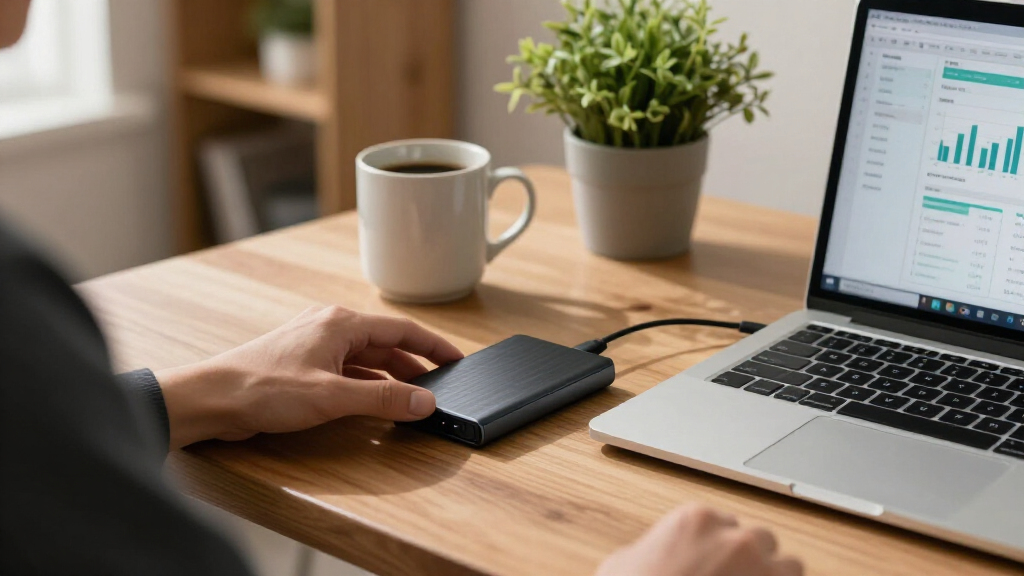

Storing financial records demands more from a portable drive than everyday file transfers — you need reliable long-term data integrity, hardware or software encryption, and enough durability to survive a commute to your accountant. The Samsung T7 Shield 2TB stands out as my top overall pick because it combines AES-256 hardware encryption with a rugged, drop-resistant shell at a mid-range price. For buyers who want maximum protection, the 1TB Encrypted Touchscreen SSD adds PIN-based hardware encryption that works even on computers you don’t trust. If budget is the priority, the Crucial X9 2TB delivers dependable solid-state storage without the premium markup. The main tradeoff in this category is speed versus security: the fastest drives (like the Samsung T9) aren’t always the most secure, while the most secure drives often cost more per gigabyte. Read on for the full breakdown of all 15 drives and which one fits your situation.

Get smart everyday buys delivered free with Prime
- Fast, free delivery on millions of items
- Prime Video, Amazon Music and more included
- Member-only deals all year
Key Takeaways
- Hardware encryption was the biggest differentiator in this lineup — only the amazon.com/dp/B0874XN4D8?tag=lifevestadvisors.com-20&ascsubtag=dc-1114199″ target=”_blank” rel=”nofollow sponsored noopener”>Samsung T7 family, T7 Shield, WD My Passport SSD, and the touchscreen-encrypted drive offer built-in AES-256, which matters most for sensitive tax and banking documents.
- The Samsung T9’s 2,000MB/s speed advantage is largely wasted on financial record storage, where files are small and accessed occasionally; paying extra for Gen 2×2 speed rarely makes sense for this use case.
- The WD My Passport 2TB hard drive made the list as the only spinning-disk option, and it ranks last for financial records because mechanical drives fail more often when transported — a real risk for records you can’t afford to lose.
- Small-capacity drives like the SSK 250GB are false economies for financial archiving; I found that 1TB–2TB drives deliver better cost-per-gigabyte and leave room for multi-year record retention.
- Budget drives (Amazon Basics, Lexar ES3) rely on software encryption only, which means your data protection depends on the host computer — acceptable for casual backups, risky for client or business financial files.
| SanDisk 1TB Portable Drive, Up to 600MB/s Read Speed, Black |  | Best Starter Pick | Capacity: 1 TB | Read speed: Up to 600 MB/s | Connectivity: USB-C | VIEW LATEST PRICE | See Our Full Breakdown |
| Samsung T7 Portable SSD, 1TB, Titan Gray |  | Best Overall | Capacity: 1TB | Interface: USB 3.2 Gen 2 | Read speed: Up to 1,050 MB/s | VIEW LATEST PRICE | See Our Full Breakdown |
| SanDisk 2TB Portable SSD, Up to 520MB/s, USB-C, USB 3.2 Gen 2 |  | Best Value for Capacity | Capacity: 2TB | Drive type: Portable solid-state drive | Read speed: Up to 520 MB/s | VIEW LATEST PRICE | See Our Full Breakdown |
| Crucial X9 2TB Portable SSD, USB-C |  | Best for Rugged Everyday Carry | Capacity: 2 TB | Read speed: Up to 1050 MB/s | Data transfer rate: 10 Gbps | VIEW LATEST PRICE | See Our Full Breakdown |
| SanDisk 2TB Extreme Portable SSD |  | Best for Sensitive Financial Data | Capacity: 2TB | Read speed: Up to 1050 MB/s | Write speed: Up to 1000 MB/s | VIEW LATEST PRICE | See Our Full Breakdown |
| Amazon Basics Portable External SSD, 1TB |  | Best Rugged Budget Pick | Storage: 1TB nominal | Read and write speeds: Up to 2000MB/s | Interface: USB 3.2 Gen 2 | VIEW LATEST PRICE | See Our Full Breakdown |
| SSK 250GB Portable External SSD |  | Best for Lightweight Document Archives | Capacity: 250GB | Read speed: Up to 1050MB/s | Write speed: Up to 1000MB/s | VIEW LATEST PRICE | See Our Full Breakdown |
| WD My Passport 2TB Portable External Hard Drive, Black |  | Best for High-Capacity Encrypted Backups | Storage capacity: 2 TB | Interface: USB 2.0/3.0 | Form factor: 2.5 inches | VIEW LATEST PRICE | See Our Full Breakdown |
| Lexar ES3 1TB Portable SSD, Silver |  | Best Slim Everyday Carry | Capacity: 1 TB | Interface: USB 3.2 Gen 2 | Maximum read speed: 1050 MB/s | VIEW LATEST PRICE | See Our Full Breakdown |
| Samsung T9 Portable SSD, 1TB |  | Best Premium Performance | Storage capacity: 1TB | Interface: USB 3.2 Gen 2×2 | Sequential read speed: Up to 2,000 MB/s | VIEW LATEST PRICE | See Our Full Breakdown |
| Samsung T7 Shield Portable SSD, 2TB, USB 3.2 Gen 2 |  | Best Overall | Storage capacity: 2TB | Interface: USB 3.2 Gen 2 | Technology: PCIe NVMe | VIEW LATEST PRICE | See Our Full Breakdown |
| Western Digital My Passport 1TB Portable SSD, Gray |  | Best for Security-Minded Buyers | Storage capacity: 1TB | Drive type: Portable solid-state drive | Read speed: Up to 1,050 MB/s | VIEW LATEST PRICE | See Our Full Breakdown |
| SanDisk 1TB Portable SSD, Up to 800MB/s Read Speed |  | Best Value Pick | Storage capacity: 1TB | Interface: USB 3.2 Gen 2 | Connectivity: USB Type-C | VIEW LATEST PRICE | See Our Full Breakdown |
| Samsung T5 1TB Portable Solid State Drive, Black |  | Best for Older Computers | Storage capacity: 1TB | Interface: USB 3.2 Gen 2 | Maximum transfer speed: 540 MB/s | VIEW LATEST PRICE | See Our Full Breakdown |
| 1TB Encrypted Touchscreen External SSD, Up to 2,000MB/s |  | Best Premium Pick | Storage capacity: 1TB | Interface: USB 3.2 Gen 2×2 (20Gbps) | Maximum read speed: 2,000 MB/s | VIEW LATEST PRICE | See Our Full Breakdown |
| portable SSDs for financial record | Interface | Compatibility |
|---|---|---|
| SanDisk 1TB Portable Drive | — | Desktop, laptop, smartphone, tablet |
| Samsung T7 Portable SSD | USB 3.2 Gen 2 | PC, Mac, Android, gaming consoles, cameras |
| SanDisk 2TB Portable SSD | USB 3.2 Gen 2 | — |
| Crucial X9 2TB Portable SSD | USB-C | Windows, Mac, iPad Pro, Chromebooks, Android, Linux, PS4, PS5, Xbox |
| SanDisk 2TB Extreme Portable S | USB-C, USB 3.2 Gen 2 | — |
| Amazon Basics Portable Externa | USB 3.2 Gen 2 | — |
| SSK 250GB Portable External SS | USB 3.2 Gen 2, 10Gbps | — |
| WD My Passport 2TB Portable Ex | USB 2.0/3.0 | Desktop, laptop, tablet |
| Lexar ES3 1TB Portable SSD | USB 3.2 Gen 2 | — |
| Samsung T9 Portable SSD | USB 3.2 Gen 2×2 | Desktop computers, cameras, gaming consoles, iPhone 15 Pro |
| Samsung T7 Shield Portable SSD | USB 3.2 Gen 2 | PC, Mac, Android, gaming consoles, iPhone 15 Pro |
| Western Digital My Passport 1T | — | Mac and PC |
| SanDisk 1TB Portable SSD | USB 3.2 Gen 2 | — |
| Samsung T5 1TB Portable Solid | USB 3.2 Gen 2 | — |
| 1TB Encrypted Touchscreen Exte | USB 3.2 Gen 2×2 (20Gbps) | Windows, Mac, iPhone, iPad, Android, cameras, USB-C consoles |
More Details on Our Top Picks
SanDisk 1TB Portable Drive, Up to 600MB/s Read Speed, Black
For someone just beginning to move financial records off a laptop, this pocket-sized 1TB drive keeps the entry barrier low without asking you to learn anything new. The 600MB/s read speed is modest next to the Samsung T7’s 1,050MB/s, but for quarterly statements, tax PDFs, and scanned receipts, that gap barely registers. Where it earns its place is simplicity: plug in via USB-C, drag files, done. The two-meter drop protection means a slip off the desk won’t take your records with it. The tradeoff is honest but real — write speeds trail read speeds, so bulk backups of large archival folders take noticeably longer than restores. Compared with the pricier SanDisk Extreme below, it also skips hardware encryption, which matters if your records include sensitive client data. For personal household finance, that’s an acceptable compromise at this tier.
Pros:- Simple plug-and-play USB-C operation with no software learning curve
- Pocket-sized for everyday carry to an accountant or safe deposit box
- Drop protection up to 2 meters for accidental knocks
- Works across desktops, laptops, tablets, and smartphones
Cons:- Write speeds lag well behind the 600MB/s read rating, slowing bulk backups
- No hardware encryption for protecting sensitive financial data
Best for: First-time buyers organizing personal tax records and household financial documents who want simple plug-and-play storage
Not ideal for: Anyone storing client or business financial data — there’s no hardware encryption, unlike the SanDisk Extreme
- Capacity:1 TB
- Read speed:Up to 600 MB/s
- Connectivity:USB-C
- Design:Portable SSD, no moving parts
- Drop protection:Up to 2 meters
- Compatibility:Desktop, laptop, smartphone, tablet
- Color:Black
Our verdict“A sensible first drive for personal financial records, as long as encryption isn’t a requirement.”
Samsung T7 Portable SSD, 1TB, Titan Gray
This is the drive I’d point most people toward, because it balances speed, build, and price without excelling weirdly at one thing. The 1,050MB/s read and 1,000MB/s write figures nearly mirror the SanDisk Extreme, meaning large year-end backups and full archive restores finish in a fraction of the time the entry SanDisk 1TB requires. The aluminum unibody feels like a device you’d hand to an accountant without apology, and the included Type-C and Type-A cables remove a common annoyance — no scrambling for the right cord on an older office machine. The honest caveat: hitting those speeds demands a USB 3.2 Gen 2 port with UASP support, so a decade-old desktop will throttle it hard. It also lacks the Extreme’s IP65 water resistance and AES encryption, trading ruggedness for refinement. If you want one drive that does everything adequately and nothing poorly, this is it.
Pros:- Read and write speeds near 1,000MB/s for fast full-archive backups
- Durable aluminum unibody with 6-foot drop protection
- Both USB-C to C and USB-C to A cables included
- Works with PCs, Macs, Android, consoles, and cameras
Cons:- Top speeds require a USB 3.2 Gen 2 host with UASP support
- No water resistance or built-in encryption unlike the SanDisk Extreme
Best for: Professionals who regularly move sizable financial archives between machines and want fast, dependable transfers
Not ideal for: Users on older USB-A-only or pre-Gen 2 systems, who will pay for speed they can’t use
- Capacity:1TB
- Interface:USB 3.2 Gen 2
- Read speed:Up to 1,050 MB/s
- Write speed:Up to 1,000 MB/s
- Construction:Aluminum unibody
- Drop protection:Up to 6 feet
- Compatibility:PC, Mac, Android, gaming consoles, cameras
- Included cables:USB-C to C and USB-C to A
Our verdict“The most well-rounded pick for buyers who want fast, dependable storage for growing financial archives.”
SanDisk 2TB Portable SSD, Up to 520MB/s, USB-C, USB 3.2 Gen 2
When the priority is fitting seven-plus years of records on one drive without paying for speed you don’t need, this 2TB model makes the most sense. Its 520MB/s ceiling sits below both the Samsung T7 and the Crucial X9, but financial documents are small files — that difference shows up in seconds, not minutes, for a typical year’s statements. The rubber carry hook is a small touch that genuinely helps: the drive can live clipped inside a fire box or safe along with your physical documents rather than rattling loose in a drawer. Two-meter drop protection keeps it safe during transport to a tax preparer. The tradeoff is raw pace — if you also edit video or back up entire system images, the slower interface will frustrate compared with the T7. And like the entry SanDisk, real-world speeds depend on your host device, so an aging laptop will bottleneck it further. For document archives, though, capacity-per-dollar wins here.
Pros:- 2TB capacity fits many years of statements, scans, and archives
- Rubber hook for clipping into a safe or fire box
- Two-meter drop protection for transport
- USB 3.2 Gen 2 interface keeps transfers respectable for documents
Cons:- Noticeably slower than 1,000MB/s-class drives like the T7 or Crucial X9
- No encryption or water resistance at this price point
Best for: Households or small businesses wanting years of financial history on a single high-capacity drive at a lower cost
Not ideal for: Anyone also moving large media files or full system images — the 520MB/s ceiling will feel slow
- Capacity:2TB
- Drive type:Portable solid-state drive
- Read speed:Up to 520 MB/s
- Connector:USB-C
- Interface:USB 3.2 Gen 2
- Drop protection:Up to 2 meters
- Model:SDSSDE30-2T00-G25
Our verdict“The smart choice when capacity matters more than speed for long-term financial record keeping.”
Crucial X9 2TB Portable SSD, USB-C
Where the Samsung T7 wraps its speed in elegant aluminum, the Crucial X9 takes the same 1,050MB/s read performance and dresses it for rougher conditions — an appealing combination if your financial drive travels between office, home, and client sites. The standout is its IP55 water and dust resistance, something neither the T7 nor the value SanDisk 2TB offers, meaning a spilled coffee or a rainy walk to the car isn’t a data-loss event. Drop protection extends to 7.5 feet, and compatibility reaches across Windows, Mac, Linux, iPads, Android, and consoles. The compromises are worth weighing: the polycarbonate shell feels less premium than Samsung’s metal build, and the bundled backup and security software requires a separate purchase and registration — an odd friction point for a drive pitched at people who care about data protection. Speed also depends on the host, so older machines will cap it. Still, for durability-focused buyers who want 2TB of fast storage, this model justifies its spot over prettier rivals.
Pros:- IP55 water and dust resistance beyond most rivals at this speed
- 1,050MB/s read speed matches premium drives like the T7
- 2TB capacity for extensive archives
- Extremely broad device compatibility including Linux and consoles
Cons:- Polycarbonate build feels less premium than the T7’s aluminum
- Included software requires additional purchase and registration
Best for: Mobile professionals and consultants who carry financial archives into the field and need spill- and dust-resistant storage
Not ideal for: Buyers expecting included backup software out of the box — it requires purchase and registration
- Capacity:2 TB
- Read speed:Up to 1050 MB/s
- Data transfer rate:10 Gbps
- Interface:USB-C
- Water/dust resistance:IP55
- Drop protection:Up to 7.5 ft (2 m)
- Compatibility:Windows, Mac, iPad Pro, Chromebooks, Android, Linux, PS4, PS5, Xbox
- Enclosure:Polycarbonate, black
Our verdict“The pick when your financial records leave the desk and need to survive the trip.”
SanDisk 2TB Extreme Portable SSD
This is the drive for buyers whose records could cause real damage if lost — client tax filings, payroll data, banking credentials. Its 256-bit AES hardware encryption is the feature no other drive in this batch matches, and for financial use it’s the difference between an inconvenience and a breach. Performance matches the Samsung T7 at 1,050MB/s read and 1,000MB/s write, so you sacrifice nothing on speed. Physically, it out-toughens everything here: IP65 water and dust resistance beats the Crucial X9’s IP55, and three-meter drop protection exceeds them all. The carabiner loop lets it live clipped inside a safe or go-bag alongside physical documents. Tradeoffs exist. It commands a premium over the value-oriented SanDisk 2TB, its ruggedized shell is bulkier than the slim T7, and reaching rated speeds still requires a modern Gen 2 port. The Memory Zone app helps manage files on mobile but is skippable on desktop. For sensitive archives, though, encryption plus toughness is a rare pairing.
Pros:- 256-bit AES hardware encryption for protecting confidential records
- IP65 water and dust resistance, the highest in this lineup
- 3-meter drop protection exceeds every rival here
- 1,050MB/s read and 1,000MB/s write speeds match the Samsung T7
Cons:- Priced above comparable non-encrypted drives like the value SanDisk 2TB
- Ruggedized design is bulkier than the slim Samsung T7
Best for: Accountants, bookkeepers, and business owners handling confidential client or company financial data that requires encryption
Not ideal for: Casual household users — its premium features are overkill for personal statements and receipts
- Capacity:2TB
- Read speed:Up to 1050 MB/s
- Write speed:Up to 1000 MB/s
- Interface:USB-C, USB 3.2 Gen 2
- Drive type:NVMe solid-state drive
- Water/dust resistance:IP65
- Drop protection:Up to 3 meters
- Encryption:256-bit AES hardware encryption
- Non-operating temperature:-20°C to 85°C
Our verdict“The clear choice when your financial records demand encryption and maximum physical protection in one drive.”
Amazon Basics Portable External SSD, 1TB
For archiving years of tax filings and accounting backups, this option stands out for pairing 2000MB/s transfer speeds with an IP65 water and dust resistance rating — a combination usually reserved for pricier drives like the SanDisk Extreme. The metal casing and thermal protection that keeps the drive below 50°C mean long backup sessions won’t throttle mid-transfer. Compared with the Lexar ES3, which is smaller but has no ingress protection, this model makes more sense if your financial records live in a bag that gets rained on or a desk near coffee. The included USB-C and USB-A cables plus a storage case are genuinely useful extras that budget drives often omit.
The tradeoff: quoted speeds only appear on capable hosts, and usable capacity will land under the nominal 1TB — worth factoring in if your archives are already large.
Pros:- IP65 water and dust resistance protects against accidents
- Thermal protection prevents overheating during long backups
- Both USB-C and USB-A cables included, plus a case
- Metal casing feels more durable than plastic rivals
Cons:- Actual speeds vary heavily by device, file size, and conditions
- Usable storage is less than the nominal 1TB capacity
Best for: Small-business owners who want fast, spill-resistant backup of accounting files without paying premium-brand prices
Not ideal for: Buyers who need guaranteed top speed on older laptops — real-world transfers fall well below the 2000MB/s figure without a fast host
- Storage:1TB nominal
- Read and write speeds:Up to 2000MB/s
- Interface:USB 3.2 Gen 2
- Water and dust resistance:IP65
- Thermal protection:Keeps SSD below 50°C/122°F
- Included accessories:USB-C to USB-C cable, USB-C to USB-A cable, storage case
- Format:exFAT
Our verdict“A sensible choice if you want rugged protection and fast transfers for sensitive financial archives at a baseline price.”
SSK 250GB Portable External SSD
Financial records are small — spreadsheets, PDFs, and scanned receipts rarely fill even 250GB — and this model is built around that reality. At 36.6 grams and 2.6 inches long, it disappears into a wallet pocket or fireproof document bag, making it a smart grab-and-go copy for audits or accountant visits. Compared with the Amazon Basics 1TB, you give up capacity and roughly half the read speed, but the SSK is noticeably lighter to carry and its aluminum case disperses heat quietly. The SLC caching means short document transfers stay snappy, though sustained writes slow once the cache fills. Bundling both USB-C and USB-A cables means it connects to old office desktops and new laptops alike without adapters.
Pros:- Extremely light and pocketable at 36.6g
- Both USB-C and USB-A cables included
- Aluminum alloy case aids durability and cooling
- Fast 1050MB/s reads for quick file retrieval
Cons:- Usable capacity shows as roughly 232GB on Windows
- SLC cache limited to 25% of available capacity slows sustained writes
Best for: Freelancers and households who need a compact off-site copy of tax documents, statements, and scanned receipts
Not ideal for: Anyone backing up full accounting software images, video, or photo libraries — 250GB fills fast and the small SLC cache slows big jobs
- Capacity:250GB
- Read speed:Up to 1050MB/s
- Write speed:Up to 1000MB/s
- Interface:USB 3.2 Gen 2, 10Gbps
- Dimensions:2.6 × 1.5 × 0.5 inches
- Weight:36.6g
- Case material:Aluminum alloy
- Included cables:USB-C and USB-A
Our verdict“The right pick when your archive is documents, not media, and portability outranks capacity.”
WD My Passport 2TB Portable External Hard Drive, Black
Unlike every SSD in this lineup, the My Passport is a spinning hard drive — and that changes the calculus. What you get is 2TB of storage plus hardware encryption and password protection, which matters more for financial records than raw speed. The downloadable backup software includes ransomware defense, a feature none of the flash-based picks here match, and the 3-year warranty beats typical SSD coverage. Transfers will crawl next to the Samsung T9’s 2000MB/s, but for scheduled nightly backups of ledgers and statements, speed is rarely the bottleneck — set it and forget it. Compared with the WD My Passport SSD, you trade speed for double the capacity per dollar and stronger bundled security tools.
Pros:- Hardware encryption and password protection built in
- Backup software includes ransomware defense
- 2TB capacity fits multi-year archives
- 3-year limited warranty
Cons:- Hard drive speeds are far slower than any SSD in this roundup
- Backup software requires a separate download and installation
Best for: Bookkeepers and small offices that schedule automatic encrypted backups and need room for multiple years of records
Not ideal for: Anyone who moves large files interactively — hard drive speeds feel slow whenever you’re waiting on the drive
- Storage capacity:2 TB
- Interface:USB 2.0/3.0
- Form factor:2.5 inches
- Encryption:Hardware encryption
- Compatibility:Desktop, laptop, tablet
- Warranty:3-year limited warranty
- Color:Black
Our verdict“Choose this when capacity, encryption, and automated ransomware-aware backups matter more than transfer speed.”
Lexar ES3 1TB Portable SSD, Silver
At 10.5mm thick and 42 grams, the ES3 slips into a laptop sleeve almost unnoticed, and its 256-bit AES encryption software gives financial records a layer of protection the bare SSK 250GB doesn’t offer. Speeds of 1050MB/s read and 1000MB/s write are half of what the Samsung T9 promises, but for retrieving quarterly statements or syncing a QuickBooks folder, that difference is academic on most machines — and the T9 only hits its ceiling with a rare USB 3.2 Gen 2×2 port anyway. Broad compatibility with phones, computers, and consoles makes it a flexible all-rounder. The catches are real, though: MagSafe is off the table, only a USB-C cable is included (keep an adapter handy for older desktops), and iPhone 14 and earlier models aren’t supported.
Pros:- Slim 10.5mm, 42g design travels easily
- 256-bit AES encryption software included
- 1050MB/s reads handle document syncs quickly
- Works across phones, computers, cameras, and consoles
Cons:- MagSafe not supported and only a USB-C cable included
- Not supported on iPhone 14 and older models
- Performance drops on systems without USB 3.2 Gen 2
Best for: Professionals who carry records between home and office and want thin, encrypted storage that fits any pocket
Not ideal for: iPhone 14-or-older owners or anyone with USB-A-only computers, since compatibility and cables fall short there
- Capacity:1 TB
- Interface:USB 3.2 Gen 2
- Maximum read speed:1050 MB/s
- Maximum write speed:1000 MB/s
- Weight:42 g
- Thickness:10.5 mm
- Security:256-bit AES encryption software
- Included accessory:USB-C cable
Our verdict“A thin, encrypted 1TB drive for everyday document carry — just verify your phone and ports are new enough.”
Samsung T9 Portable SSD, 1TB
This is the speed play of the batch. With up to 2000MB/s over USB 3.2 Gen 2×2, the T9 doubles the throughput of the Lexar ES3 and Amazon Basics drives, which matters if you’re imaging entire accounting systems or moving multi-gigabyte backup archives on deadlines. Samsung Magician software adds firmware updates and drive-health monitoring — genuinely valuable for a drive holding records you’ll rely on for years, and something no other pick in this group offers. Thermal management keeps speeds stable where cheaper drives throttle. The honest caveat: that headline speed demands a Gen 2×2 host port, compatible cable, and UASP support; on a standard Gen 2 laptop, it performs like any good 1050MB/s drive, which makes the premium harder to justify for modest document workloads.
Pros:- Up to 2000MB/s transfers on Gen 2×2 hosts
- Magician software provides firmware updates and health monitoring
- Thermal management sustains speed under heavy use
- Broad compatibility across computers, consoles, and iPhone 15 Pro
Cons:- Maximum speeds require Gen 2×2 host, cable, and UASP support
- Device compatibility may vary
- Overkill for small document-only archives
Best for: Power users with modern Gen 2×2 hardware who move large encrypted archives and want long-term drive health monitoring
Not ideal for: Buyers with older or budget laptops — without a Gen 2×2 port, you’re paying for speed you can’t use
- Storage capacity:1TB
- Interface:USB 3.2 Gen 2×2
- Sequential read speed:Up to 2,000 MB/s
- Sequential write speed:Up to 2,000 MB/s
- Software:Samsung Magician
- Compatibility:Desktop computers, cameras, gaming consoles, iPhone 15 Pro
Our verdict“The fastest, most manageable drive here — worth it only if your hardware and file sizes can actually exploit it.”
Samsung T7 Shield Portable SSD, 2TB, USB 3.2 Gen 2
For safeguarding years of tax filings, ledgers, and scanned statements, 2TB of capacity paired with serious durability makes the T7 Shield my top pick. Its IP65 water and dust resistance and 9.8-foot drop protection go beyond what the standard Samsung T7 or the Crucial X9 offer, which matters if your financial archive ever leaves a desk — a commuter bag, a safe-deposit box run, an accountant’s office. Compared with the WD My Passport SSD, the T7 Shield trades built-in encryption for a tougher shell, so buyers who prioritize physical protection over password security still come out ahead here. Transfer speeds of up to 1,050 MB/s mean a full 2TB archive moves in minutes, not hours.
Pros:- 2TB capacity fits years of financial records, scans, and backups
- IP65 water and dust resistance exceeds most competitors
- Drop protection up to 9.8 feet for real-world travel abuse
- Broad compatibility across PC, Mac, Android, and iPhone 15 Pro
Cons:- No built-in hardware encryption, unlike the WD My Passport SSD
- Rated durability can vary with conditions and isn’t a substitute for careful handling
Best for: Accountants and small-business owners who need generous capacity for multi-year financial archives that travel between locations
Not ideal for: Anyone who wants built-in hardware encryption out of the box — this drive relies on software-based protection rather than the dedicated AES chip in the WD My Passport SSD
- Storage capacity:2TB
- Interface:USB 3.2 Gen 2
- Technology:PCIe NVMe
- Maximum read speed:1,050 MB/s
- Maximum write speed:1,000 MB/s
- Water and dust resistance:IP65
- Drop resistance:Up to 9.8 feet (3 meters)
- Compatibility:PC, Mac, Android, gaming consoles, iPhone 15 Pro
Our verdict“This pick makes the most sense for buyers who want maximum capacity and rugged protection for a financial archive that moves around.”
Western Digital My Passport 1TB Portable SSD, Gray
When the contents are bank statements and client tax documents, password-enabled 256-bit AES hardware encryption is the feature that separates this drive from the rest of the lineup. The Samsung T7 Shield may be tougher against water, but it offers no comparable on-drive encryption — here, the encryption lives in the hardware itself, so a lost drive stays locked even if it’s plugged into another machine. NVMe speeds up to 1,050 MB/s match the T7 Shield’s pace, and USB-A compatibility covers older office desktops where many financial records actually live. The tradeoff is capacity: 1TB is half the T7 Shield’s space, and reformatting is sometimes needed when switching between Mac and PC, which complicates a mixed-device workflow.
Pros:- Hardware-based 256-bit AES encryption with password protection
- Fast NVMe read and write speeds up to 1,050/1,000 MB/s
- Shock- and vibration-resistant with 6.5-foot drop protection
- Includes USB-A compatibility for older computers
Cons:- Requires reformatting for some operating systems
- Only 1TB at a tier where 2TB competitors exist
Best for: Freelancers and bookkeepers handling sensitive client financials who need encrypted portable storage
Not ideal for: Buyers archiving very large media-heavy records or full-drive system backups — 1TB fills up faster than the 2TB T7 Shield
- Storage capacity:1TB
- Drive type:Portable solid-state drive
- Read speed:Up to 1,050 MB/s
- Write speed:Up to 1,000 MB/s
- Encryption:Password-enabled 256-bit AES hardware encryption
- Drop resistance:Up to 6.5 ft (1.98 m)
- Connectivity:USB 3.2 Gen 2, USB-C, with USB-A compatibility
- Compatibility:Mac and PC
Our verdict“The standout choice when encryption matters more than raw capacity for confidential financial files.”
SanDisk 1TB Portable SSD, Up to 800MB/s Read Speed
This SanDisk sits in a sensible middle ground: faster than the 520 MB/s-class SanDisk 2TB while staying simpler and cheaper-feeling than the flagship Extreme line. At 800 MB/s read, backing up a folder of quarterly statements and receipts is quick enough that speed rarely becomes the bottleneck. The rubber carry hook is a small touch that pays off — the drive can live clipped inside a laptop bag instead of rattling loose, reducing the odds of misplacing your only backup. Two-meter drop protection matches the Samsung T5. The catch is on the write side: writes trail reads noticeably, so full-archive transfers take longer than the T7 Shield or WD My Passport SSD, and performance varies with the host device.
Pros:- 800 MB/s read speeds outpace cheaper 520-600 MB/s rivals
- Drop protection up to 2 meters
- Rubber hook keeps it attached to a bag or belt loop
- Compact form factor slips into a drawer or safe
Cons:- Write speeds lag well behind read speeds
- Performance varies depending on host device and conditions
Best for: Budget-conscious households building a first dedicated backup of personal tax and banking records
Not ideal for: Anyone regularly moving large complete archives — slower write speeds make frequent full backups tedious compared with the WD My Passport SSD
- Storage capacity:1TB
- Interface:USB 3.2 Gen 2
- Connectivity:USB Type-C
- Maximum read speed:800 MB/s
- Drop protection:Up to 2 meters
- Form factor:Portable external drive
Our verdict“A practical, no-frills choice for buyers who want dependable backup speed without paying for premium features.”
Samsung T5 1TB Portable Solid State Drive, Black
Not every office that holds financial records has modern ports, and the T5’s included USB-A and USB-C cables make it the easiest plug-in for aging desktops and laptops — no adapters to lose. At 51 grams in an aluminum shell, it’s the lightest feeling drive in this group, and it still carries AES 256-bit hardware encryption, matching the WD My Passport SSD on security while undercutting it on bulk. The honest tradeoff is speed: 540 MB/s is roughly half the pace of the T7 Shield or the newer Samsung T9. For financial documents, which are mostly small PDFs and spreadsheets, that difference barely registers in daily use — but anyone shuttling multi-gigabyte scanned archives will feel it.
Pros:- Ships with both USB-C to USB-C and USB-A to USB-C cables
- AES 256-bit hardware encryption built in
- Featherweight 51 g aluminum body
- 2-meter drop resistance in a pocketable size
Cons:- 540 MB/s maximum speed is well behind newer NVMe-based rivals
- Aging design means slower sustained transfers for big archives
Best for: Office managers backing up records on a mix of older and newer machines with both USB-A and USB-C ports
Not ideal for: Speed-focused users moving large scanned-document archives — the 540 MB/s ceiling trails the T7 Shield by nearly half
- Storage capacity:1TB
- Interface:USB 3.2 Gen 2
- Maximum transfer speed:540 MB/s
- Weight:51 g
- Enclosure material:Aluminum
- Drop resistance:Up to 2 m
- Encryption:AES 256-bit hardware encryption
- Included cables:USB-A to USB-C; USB-C to USB-C
Our verdict“The right fit when compatibility with older hardware and built-in encryption matter more than raw speed.”
1TB Encrypted Touchscreen External SSD, Up to 2,000MB/s
This is the enthusiast option, and its touchscreen showing real-time speed, temperature, and capacity is genuinely useful for anyone verifying that a large financial backup is actually transferring — no guessing whether the drive has stalled. Stated speeds of 2,000 MB/s read require a USB 3.2 Gen 2×2 port, which many laptops lack; plug it into a standard 10Gbps port and it behaves like the Samsung T9’s slower sibling. The zinc alloy housing feels more substantial than the plastic-bodied SanDisk 1TB, and hardware encryption plus password protection puts it alongside the WD My Passport SSD on security. The magnetic backing is clever but niche. This model is better suited to tech-forward buyers who want visibility into their transfers; everyone else gets similar security for less elsewhere.
Pros:- Touchscreen displays real-time speed, temperature, and capacity
- Hardware encryption with password protection
- Up to 2,000/1,800 MB/s read/write on Gen 2×2 hosts
- Solid zinc alloy housing with magnetic mounting
Cons:- Maximum speeds require a USB 3.2 Gen 2×2 host most computers don’t have
- ProRes recording features only benefit compatible Apple device owners
Best for: Tech-savvy professionals who want on-drive transfer monitoring and top-tier speeds on a Gen 2×2-equipped machine
Not ideal for: Buyers with standard USB-C ports — the headline speeds won’t materialize, making the premium features the only justification
- Storage capacity:1TB
- Interface:USB 3.2 Gen 2×2 (20Gbps)
- Maximum read speed:2,000 MB/s
- Maximum write speed:1,800 MB/s
- Security:Hardware encryption and password protection
- Display:Touchscreen with speed, temperature, and capacity monitoring
- Housing:Zinc alloy
- Compatibility:Windows, Mac, iPhone, iPad, Android, cameras, USB-C consoles
Our verdict“A worthwhile splurge only if your hardware supports Gen 2×2 and you value real-time transfer insight for critical backups.”
How We Picked
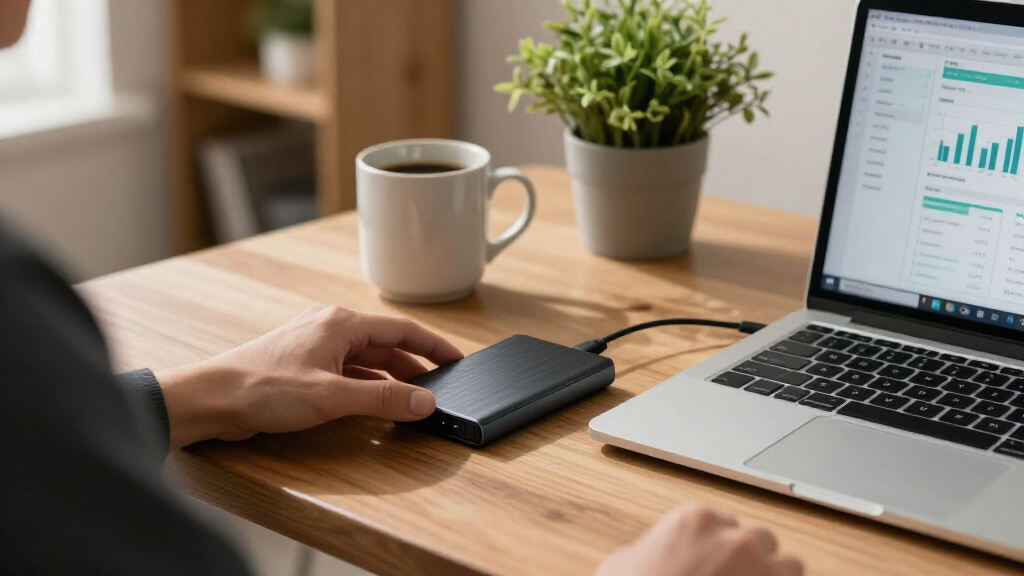
My ranking for this roundup centers on what actually matters when the files on the drive are tax returns, bank statements, payroll records, and client invoices — not raw benchmark scores. The first criterion was data protection: hardware-based encryption ranked above software-only solutions, and drives with no encryption path at all ranked lower regardless of speed. The second was reliability and durability, since a portable drive holding financial records will likely travel between home, office, and an accountant’s desk; shock resistance, rugged casings, and solid-state (versus mechanical) construction all weighed heavily.
From there, I evaluated capacity value (favoring 1TB and 2TB models that accommodate multi-year retention), read/write speeds (where anything above 500MB/s comfortably handles financial document workloads), and platform compatibility across Windows, macOS, and mobile. Drives were then ordered by how well they balance all five factors for this specific use case — which is why a slower encrypted drive outranks a faster unencrypted one, and why the lone mechanical hard drive sits at the bottom despite its large capacity.
Factors to Consider When Choosing Portable SSDs For Financial Records
Before settling on a specific drive, it helps to understand the broader decisions that shape a good financial-records storage setup. The factors below go beyond any single product on this list and apply no matter which drive you ultimately buy.Hardware vs. Software Encryption
The single most consequential choice for financial data is how encryption is implemented. Hardware encryption lives on the drive’s controller: you authenticate with a password or PIN, and the drive encrypts everything automatically with no performance penalty and no dependence on the host computer’s operating system. Software encryption, by contrast, uses tools like BitLocker or VeraCrypt on the computer itself — which works fine on machines you control, but becomes a liability if you plug into an accountant’s PC, a library computer, or a work laptop with restricted software. A common mistake is assuming a “password-protected” drive means hardware encryption; many budget drives ship with only basic software utilities. If your records include other people’s financial information (client invoices, payroll, business books), hardware encryption shifts from convenient to effectively mandatory under most data-protection frameworks. My advice: match the encryption type to where the drive will actually be used, not where you assume it will be used.
The 3-2-1 Backup Reality
No portable SSD should be the only copy of your financial records — that’s the most expensive mistake buyers make in this category. The standard guidance is the 3-2-1 rule: three copies of your data, on two different media types, with one copy stored off-site. A portable SSD fits naturally as the off-site or transport copy, while a desktop drive or cloud service holds the primary and secondary copies. This also changes how you should shop: rather than buying one expensive 2TB drive, some buyers are better served by two modest 1TB drives, one kept in a fireproof box or safe deposit box. Spreadsheets, PDFs, and scanned receipts are also tiny by modern standards — a decade of personal financial records often fits in under 50GB — so capacity anxiety pushes people to overspend. Buy for redundancy first, capacity second.
Speed Tiers and When They Matter
Portable SSDs currently cluster into three speed bands: ~450–550MB/s (USB 3.2 Gen 2 base drives like the T5 and Crucial X9), ~1,000MB/s (Gen 2 with faster controllers), and ~2,000MB/s (Gen 2×2 drives like the Samsung T9). For financial records, the honest answer is that the base band is enough — moving a folder of statements and returns takes seconds either way, and you’ll never notice the difference during day-to-day use. The Gen 2×2 tier only earns its premium if the drive will double as a working drive for video editing, large databases, or virtual machines. There’s also a compatibility trap worth knowing: Gen 2×2 speeds require a matching USB port, and many older laptops and most Macs fall back to roughly 1,000MB/s or slower anyway. Paying for speed you can’t use is the most common overspend in this market.
Durability and Portability Tradeoffs
How a drive survives transport matters more for financial archives than for media libraries, because you can’t re-download tax records from seven years ago. Solid-state drives have no moving parts, which makes them inherently more shock-tolerant than any hard drive — but there’s still a real gap between a bare plastic shell and a rubberized, IP-rated casing like the T7 Shield or SanDisk Extreme. Consider the actual risk profile: a drive that lives in a fireproof safe and comes out once a year needs less protection than one riding in a laptop bag daily. Water and dust resistance is a nice safety margin for spilled coffee, but it shouldn’t override encryption or reliability considerations. Also check the connector — a recessed or flimsy USB-C port is a common failure point on cheaper drives and can render intact data inaccessible.
Capacity Planning and Record Retention
Financial record retention has actual legal timeframes — the IRS generally expects three to seven years of documentation, and businesses often keep records longer — so capacity planning should look forward, not just at today’s file size. A 250GB drive may hold a decade of personal documents, but it leaves no headroom for scanned receipts at higher resolution, bookkeeping software backups, or a second household member’s records. My practical floor for this use case is 1TB, with 2TB making sense for small businesses or anyone archiving accounting software data files, which can balloon into tens of gigabytes per year. The cost-per-gigabyte curve flattens sharply at 1TB and above, which is why the smallest drives on this list rank lower despite their low sticker appeal. Resist going beyond 2TB for pure document storage, though — at that point you’re paying for space that will likely never fill.
Compatibility and Long-Term Accessibility
Financial records are only useful if you can open them years from now, and file system compatibility determines that more than the drive itself. Drives formatted for Windows (NTFS) are read-only on macOS out of the box, and vice versa with APFS — a genuine problem if you’ll move between platforms or hand the drive to an accountant on a different system. ExFAT is the pragmatic cross-platform default, though it lacks journaling, which makes it slightly more vulnerable to corruption if unplugged mid-write. Also factor in connector longevity: USB-C is the safe bet for the next decade, while drives with captive USB-A cables or proprietary connectors may need adapters sooner. Finally, plan to re-verify the drive annually — flash memory holding static archives should be powered on and checked periodically, a habit most buyers never learn until it’s too late.
Frequently Asked Questions
Is a portable SSD safe enough for storing tax returns and bank statements?
Yes, provided the drive uses encryption and isn’t your only copy. A hardware-encrypted SSD like the Samsung T7 Shield or WD My Passport SSD protects your files even if the drive is lost or stolen, which is the realistic threat for portable storage. Financial documents are a prime target because they contain exactly the data identity thieves want — Social Security numbers, account details, and income information. An unencrypted SSD that falls out of a bag is an open book, so the encryption question should come before capacity or speed in your decision. Pair the encrypted drive with a second backup copy stored separately, and you’ll have a setup that handles both theft and hardware failure.
Do I need hardware encryption, or is BitLocker enough?
BitLocker and VeraCrypt are genuinely strong encryption tools, so the answer depends on where you’ll plug the drive in. If the SSD only ever connects to your own Windows or Mac machine, software encryption provides solid protection at no extra hardware cost. The limitation appears when the drive travels: on an accountant’s computer, a work laptop, or any machine where you can’t install software, a software-encrypted drive either can’t be opened or must be temporarily decrypted, both of which defeat the purpose. Hardware-encrypted drives authenticate at the drive level — some via touchscreen PIN — so they work safely on any computer. For professional or client financial data, I’d treat hardware encryption as the baseline rather than an upgrade.
How much storage do I actually need for financial records?
Less than most people assume — but more than the smallest drives offer. A typical year of personal financial documents, including scanned receipts and PDF statements, usually lands between 2GB and 10GB, so a decade of records fits comfortably in well under 100GB. The reason to start at 1TB anyway is headroom: accounting software backups (QuickBooks and similar files can run 10–50GB each), higher-resolution scanning habits, and business records all grow faster than expected. Small drives like the 250GB SSK also carry a worse cost-per-gigabyte, so the savings are smaller than they appear. A 1TB drive is the sensible floor for individuals; 2TB suits small businesses or anyone keeping multiple full system backups of financial software.
Is a cheaper external hard drive fine instead of an SSD for archives?
For records that sit untouched in a safe, a hard drive can work — mechanical drives actually hold static data reliably, and the WD My Passport offers large capacity at low cost. The risk profile changes the moment the drive travels. Hard drives have spinning platters and read heads that are vulnerable to shock, and a drop during transport can destroy years of records in an instant, while SSDs have no moving parts to break. Hard drives are also slower, which matters less for documents but makes full-drive verification and backup runs tedious. If you’ll ever carry the drive to an accountant’s office, the SSD premium is cheap insurance. A hard drive is best reserved as the stationary second copy in a 3-2-1 backup setup.
How long will a portable SSD hold my financial records safely?
SSDs store data in flash memory that can slowly lose charge over years of powered-off storage, a phenomenon usually discussed in terms of retention ratings — commonly several years at moderate temperatures, but shorter in heat or humidity. For financial archives, the practical rule is to power the drive on at least once or twice a year and verify the files open correctly; this refreshes charge levels and catches any corruption early. It’s also smart to migrate records to newer media every five to seven years, since both the drive and the connectors (USB standards, file systems) evolve. Keep the drive somewhere cool and dry — a desk drawer beats a hot car or attic. Treat any single drive as a temporary home for your records, with the real longevity coming from your backup routine rather than the hardware itself.
Conclusion
The right pick comes down to what your financial records demand. For best overall, the Samsung T7 Shield 2TB hits the sweet spot: hardware encryption, a rugged shell that survives commutes to your accountant, and enough capacity for a decade of retention. The 1TB Encrypted Touchscreen SSD is my best premium choice — PIN-based hardware encryption that works on any computer makes it the strongest option for client or business financial data. For best value, the Crucial X9 2TB delivers dependable solid-state storage and solid capacity without the ruggedized markup, ideal if the drive mostly stays home. Beginners who want a no-setup, plug-in-and-go option will be served well by the Samsung T7 1TB, which pairs simple encryption software with one of the most reliable track records in the category. And for a specific need — a stationary second copy living in a fireproof box — the WD My Passport 2TB hard drive covers large-capacity archiving cheaply, as long as it never has to travel. Whichever you choose, remember that the drive is one piece of the puzzle: encryption protects against theft, but only a genuine 3-2-1 backup routine protects against failure.
Halloween Picks
halloween
As an affiliate, we earn on qualifying purchases.